Beverly Hills, California

One dashboard gives you full control over your digital concierge — content, guest data, and property settings — without installing a thing.
01 — Remote Management
The dashboard runs in any browser — desktop, tablet, phone. Log in from the airport, update a house rule mid-trip, or swap out a restaurant recommendation between guest stays. No app download, and zero technical overhead.
Works on Chrome, Safari, Firefox — no dedicated app or software to maintain.
Manage a single property or an entire portfolio from one login — same interface, full control.
Content changes are pushed remotely to your screen. No reboots, no on-site visit required.
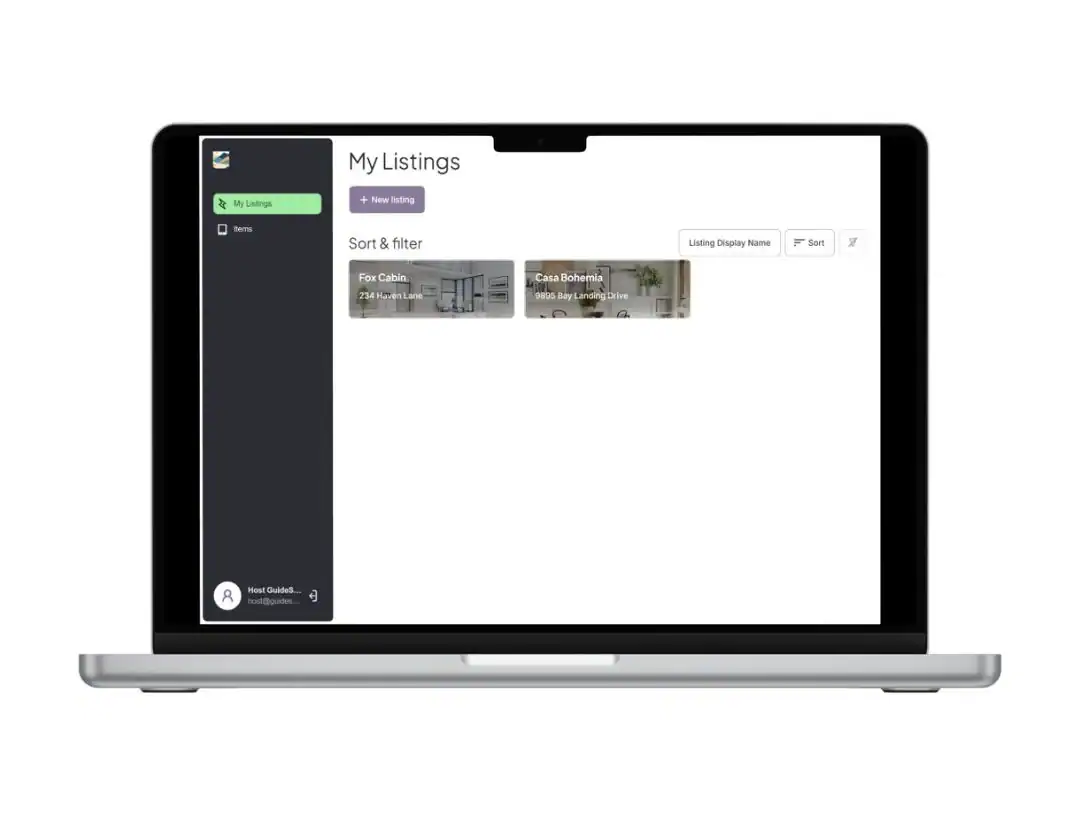
Every update you make is pushed to the screen remotely — no reboots, no on-site visit required.
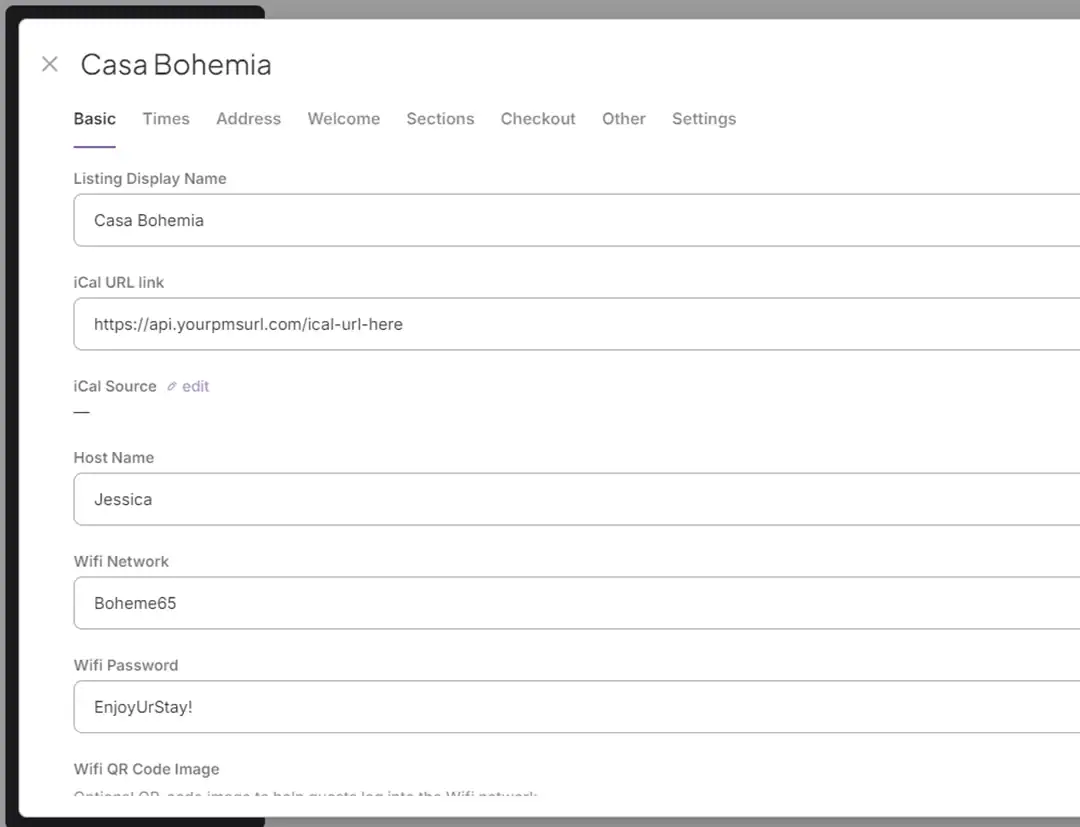
02 — iCal Integration
Connect your Airbnb, VRBO, or any iCal-compatible booking calendar once. GuideScreen reads guest names and stay dates automatically — so the screen is always personalized for whoever is checking in, without you lifting a finger.
Stay dates and guest names update on their own as bookings come in — no manual entry.
Works with Airbnb, VRBO, Booking.com, or any platform that exports an iCal link.
Arrivals, departures, and name changes sync in the background — your screen is never out of date.
03 — Content Management
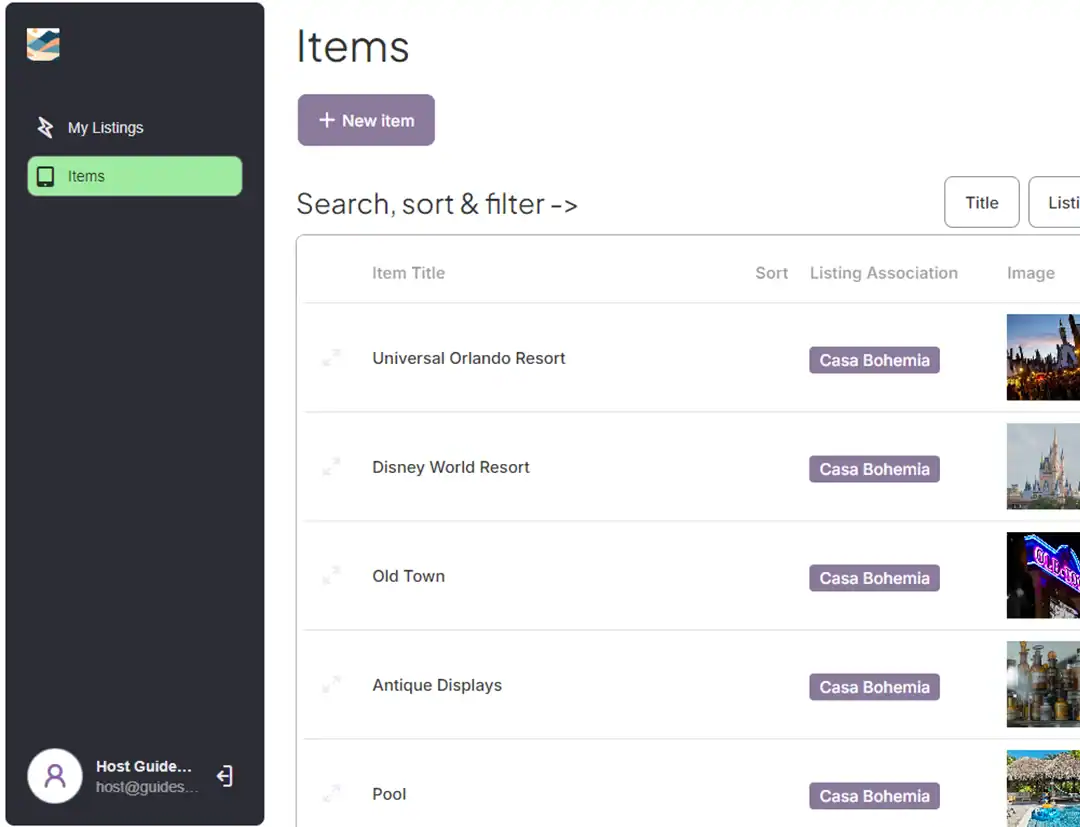
Build your property’s content library in the dashboard — local restaurants, house rules, amenity guides, check-in steps. Everything appears on the screen exactly as you arranged it. Update once, and every future guest sees it.
Add restaurants, activities, and hidden spots with your own notes — displayed as curated recommendations, not generic search results.
House rules, appliance guides, Wi-Fi, checkout steps — all organized and editable from the dashboard.
See exactly how content will appear on the screen before it goes live — no surprises on check-in day.
Contact us and we’ll show you exactly how GuideScreen works for your property.