
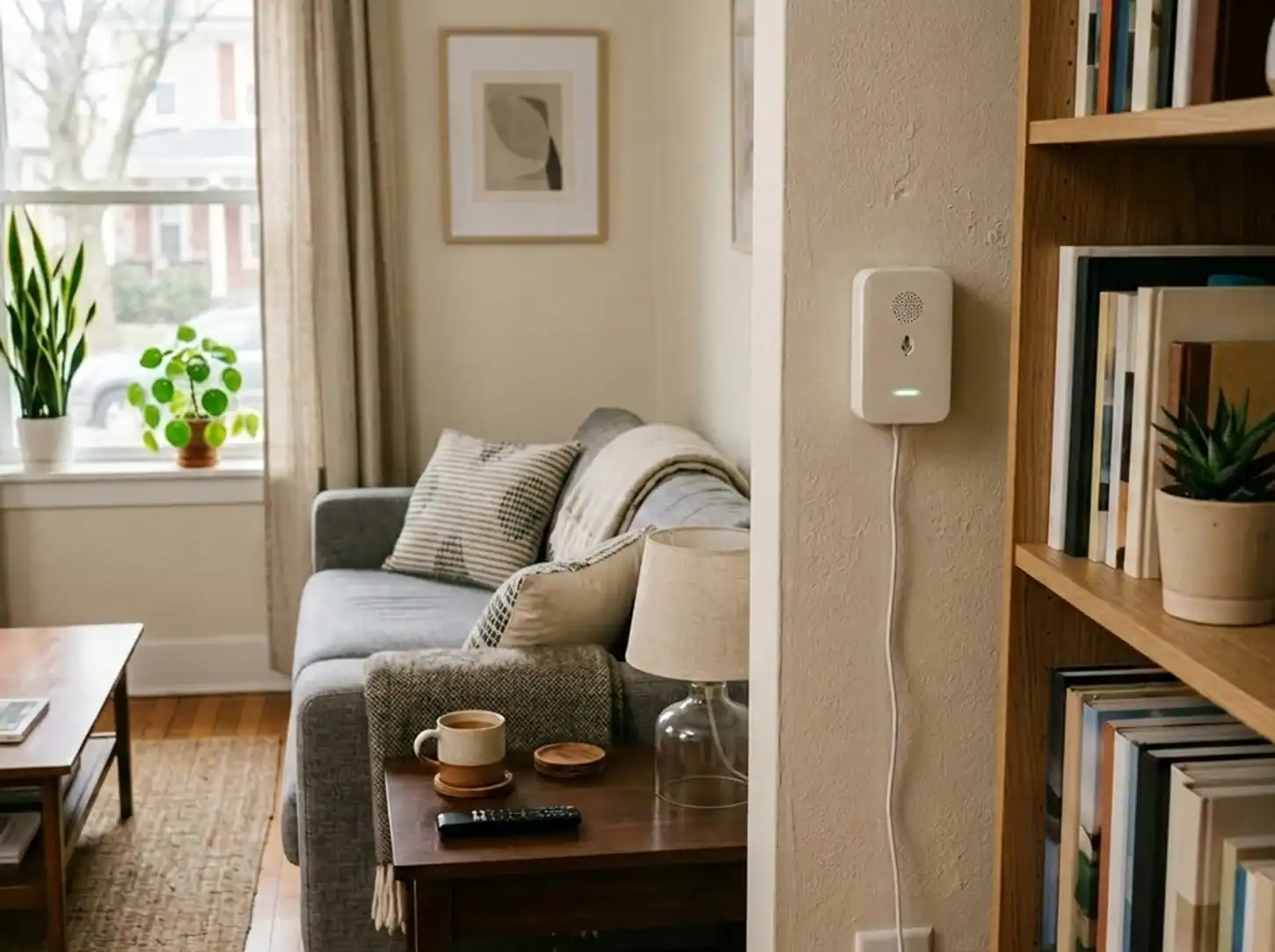
Managing guest expectations while protecting your property has never required such a careful balance. In 2026, short-term rental hosts continue finding themselves navigating complaints from neighbors, unexpected property damage, and the challenge of enforcing house rules from afar—all while respecting guest privacy and maintaining the welcoming atmosphere that earns five-star reviews.
Noise monitoring devices have become a practical solution for hosts who want to stay informed without being intrusive. These tools don’t record conversations or invade privacy; instead, they measure sound levels and alert you when thresholds are crossed, giving you a chance to address issues before they escalate. As regulations tighten in many cities and neighbor tolerance wears thin, having an early warning system can mean the difference between a minor intervention and a costly violation.
Noise Monitoring for Airbnbs in 2026
The conversation around monitoring technology in vacation rentals has matured significantly. What was once viewed as borderline surveillance has evolved into accepted preventive maintenance—when implemented thoughtfully and disclosed properly.
Why some hosts choose to use monitoring devices
Most hosts don’t install monitoring devices because they distrust guests. They install them because properties require attention that manual check-ins can’t provide, especially when managing multiple listings or remote properties. A noise monitor alerts you to potential issues—whether that’s an unauthorized party, a malfunctioning appliance creating unusual sounds, or simply guests who’ve lost track of volume after a few drinks—before neighbors file complaints or damage occurs.
For hosts in urban buildings or properties with shared walls, noise monitoring has become almost essential. One complaint to a homeowners association or local housing authority can jeopardize your hosting privileges entirely. The device acts as your remote presence, giving you time to send a polite message and course-correct before situations spiral.
Balancing guest comfort, privacy, and property care
The key tension in using any monitoring technology is maintaining guest comfort while protecting your investment. Guests book vacation rentals for privacy and autonomy—they don’t want to feel watched. Modern noise monitors address this by measuring decibel levels rather than recording audio. There’s no eavesdropping, no saved conversations, just data about sound volume in common areas.
Transparency makes all the difference. Hosts who clearly disclose monitoring devices in their listings and explain that they only track noise levels (not conversations) rarely face pushback. Guests generally understand that house rules exist for good reasons, and most appreciate that hosts are being upfront rather than installing hidden technology.
The shift toward smarter, less intrusive tools in 2026
The latest generation of monitoring devices reflects a broader industry trend: technology should serve hosting goals without creating new problems. Edge processing—where devices analyze data locally rather than sending everything to cloud servers—has become a major selling point. Guests feel more comfortable knowing their stay isn’t being uploaded to remote databases, and hosts benefit from faster alerts and reduced privacy concerns.
Integration has also improved dramatically. Today’s devices connect with smart home systems, property management software, and automation platforms, allowing hosts to create sophisticated responses (like automatically sending quiet hour reminders) without manual intervention. The technology has become genuinely helpful rather than just another thing to monitor.
What this guide covers
This guide examines the most effective noise monitoring solutions for Airbnb hosts in 2026. We’ll explore how different device types work, what features matter most, and which options suit specific property types and hosting styles. You’ll find detailed breakdowns of top devices, pricing considerations, installation best practices, and strategies for choosing tools that complement your hosting approach rather than complicate it.
What Are Noise Monitoring Devices?
Noise monitoring devices measure sound levels in decibels and alert property owners when those levels exceed preset thresholds. Unlike security cameras or audio recorders, these devices don’t capture content—they simply track whether sound in a space has crossed into concerning territory.
How decibel-based monitoring works (no audio recording)
Think of a noise monitor like a thermometer for sound. Just as a thermometer measures temperature without recording what’s happening in a room, a noise monitor measures volume without capturing voices or identifying specific sounds. The device uses a microphone to detect sound waves, converts that into decibel readings, and compares those readings against your configured thresholds.
When sound exceeds your limit—say, 75 decibels sustained for five minutes—you receive an alert. You can’t play back what was said or hear who was talking. You simply know that noise levels spiked at a certain time. This approach respects guest privacy while giving hosts the information they need to intervene appropriately.
Most devices allow you to set different thresholds for different times of day. You might tolerate 80 decibels during afternoon hours but drop that to 65 decibels after 10 PM when quiet hours begin. The sensitivity adjusts to match your house rules.
Noise monitoring vs. occupancy tracking vs. environmental sensors
The lines between different monitoring technologies have blurred as devices add multiple sensors to justify their price points. Understanding what each type detects helps you choose appropriate tools:
Noise monitoring tracks decibel levels over time. It tells you when and how loud sounds become but reveals nothing about who’s making them or why.
Occupancy tracking estimates how many people occupy a space, typically using WiFi-connected device counts, motion sensors, or thermal detection. Some advanced systems can differentiate between 2-3 people and 15-20 people by analyzing movement patterns and device density.
Environmental sensors monitor conditions like temperature, humidity, air quality, smoke particles, and even cigarette or marijuana smoke. These sensors address different hosting concerns—enforcing no-smoking policies, preventing temperature-related issues, or identifying potential fire hazards.
Many 2026 devices combine all three approaches in a single unit. You get noise alerts, occupancy estimates, and environmental warnings from one installation point. This consolidation reduces hardware clutter and simplifies your monitoring setup.
Common use cases across different property types
How hosts use noise monitoring varies significantly based on property type and location:
Urban apartments typically prioritize noise monitoring above all else. Thin walls and close neighbors make volume the primary risk factor. Hosts in these settings often set conservative thresholds and enable instant alerts.
Single-family homes in residential neighborhoods balance noise monitoring with occupancy tracking. Neighbors still matter, but hosts also want to catch unauthorized parties before they cause damage or disturb the entire block.
Remote cabins and rural properties might use noise monitoring less for neighbor relations and more as a proxy for occupancy issues. Unusual noise patterns at odd hours could indicate unauthorized guests or security concerns.
Vacation properties with pools or outdoor spaces benefit from outdoor monitoring capabilities. Pool parties and backyard gatherings create the most noise complaints, so monitoring outdoor decibel levels becomes essential.
Indoor vs. outdoor monitoring explained
Indoor noise monitoring measures sound levels inside your property—living rooms, kitchens, common areas. These sensors help you enforce quiet hours and catch excessive volume before it travels through walls or floors to neighbors.
Outdoor monitoring tracks sound levels in yards, patios, pool areas, and other exterior spaces where noise travels further and affects more people. Outdoor sensors need weatherproofing and often require more robust hardware to handle environmental exposure.
Some devices handle both with a single unit placed strategically (like just inside a back door where it captures both indoor and outdoor sound). Others require separate indoor and outdoor sensors for comprehensive coverage. Your property layout and primary noise concerns should guide this decision.
Key Features to Look for in 2026
Not all noise monitoring devices offer the same capabilities. The features that matter most depend on your property type, hosting volume, and how hands-on you want your management approach to be.
Customizable noise thresholds and real-time alerts
The ability to set specific decibel limits for different times and days is foundational. Look for devices that let you configure:
- Time-based thresholds: Different limits for daytime (70-80 dB), evening (65-75 dB), and overnight (60-70 dB)
- Day-of-week variations: More permissive settings for Friday and Saturday nights versus weeknights
- Sustained vs. spike detection: Alerts triggered by continuous loud noise versus brief loud moments
- Escalating warnings: First alert at 70 dB, second at 75 dB, urgent alert at 80+ dB
Real-time alerts should reach you through multiple channels—push notifications, SMS, email—with enough detail to assess urgency without requiring you to open an app. The best systems include timestamp data and noise level graphs so you can see patterns rather than just isolated incidents.
Occupancy and crowd detection (beyond just sound)
Occupancy monitoring has become increasingly sophisticated. Rather than just counting WiFi-connected devices (which can be fooled by phones left in airplane mode), modern systems use multiple signals:
- Device counting: WiFi and Bluetooth device detection within range
- Motion pattern analysis: Detecting movement frequency that suggests multiple people
- Thermal signatures: Identifying heat sources consistent with human presence
- Network traffic analysis: Measuring data usage patterns that indicate multiple active users
The value isn’t in getting an exact headcount—that’s nearly impossible without cameras—but in identifying when occupancy significantly exceeds your listing limits. If your property sleeps six but the system detects patterns consistent with 15+ people, you can intervene before minor overcrowding becomes a full party.
This multi-layered approach has become the 2026 standard for effective party prevention. Relying solely on one metric creates vulnerabilities that savvy guests can exploit, but combining noise detection with occupancy tracking provides the comprehensive coverage professional hosts need.
Smoke and air quality detection (cigarette & marijuana)
Enforcing no-smoking policies remains one of the trickiest aspects of property management. Guests who smoke often try to hide it, and by the time you discover evidence during turnover, the damage is done and the guest has checked out.
Specialized sensors can detect:
- Cigarette smoke particles: Traditional tobacco smoke with distinct chemical signatures
- Marijuana smoke: THC vapor and combustion byproducts different from tobacco
- Vaping aerosols: Glycerin and flavoring particles from e-cigarettes
- General air quality degradation: PM2.5 and PM10 particulate levels indicating poor ventilation or other issues
Real-time smoke detection lets you send immediate reminders about your no-smoking policy while guests are still on property. This creates an opportunity for guests to correct behavior (moving outside, opening windows) rather than facing post-checkout charges they’ll inevitably dispute.
Mobile apps and multi-property dashboards
As short-term rental portfolios grow, managing monitoring devices becomes a job in itself. Quality mobile apps and web dashboards should offer:
- Multi-property views: See all properties at a glance with status indicators
- Historical comparisons: Compare current readings against past stays to identify anomalies
- Custom alert routing: Send alerts for Property A to Manager 1, Property B to Manager 2
- Grouped notifications: Batch low-priority alerts while fast-tracking urgent ones
- Guest timeline correlation: Match sensor readings to specific reservations and guest profiles
The best dashboards transform raw sensor data into actionable insights. Instead of showing you that noise hit 78 dB at 11:47 PM, they show you that this particular guest has triggered three noise events across two stays and might warrant additional screening for future bookings.
Integrations with smart home systems and automation tools
Standalone monitoring creates work—you receive alerts, then manually decide how to respond. Integration with smart home platforms and property management systems enables automation:
- Smart lock integration: Automatically send quiet hour reminders when guests unlock doors after 10 PM
- Messaging automation: Trigger pre-written noise reminders when thresholds are exceeded
- Climate control: Receive alerts if temperature drops dangerously low (potential pipe freezing)
- PMS connection: Pull guest contact information directly for personalized automated messages
- Home Assistant/Hubitat compatibility: Create complex automation routines based on multiple sensor inputs
The goal is reducing manual intervention while maintaining appropriate oversight. If a first noise alert can automatically send a polite reminder and a second alert escalates to your personal attention, you’ve cut your workload while still staying informed.
Historical data and reporting insights
Data only becomes valuable when it reveals patterns. Historical reporting features help you:
- Identify problem booking sources: Discover that guests from Platform X cause more noise issues than Platform Y
- Optimize house rules: Adjust quiet hours based on actual guest behavior patterns
- Document policy violations: Provide concrete evidence to platforms when disputing charges or bans
- Improve screening: Note which guest demographics or booking characteristics correlate with issues
- Track seasonal variations: Understand how noise patterns change during peak versus off-season
Long-term data storage (12+ months) becomes especially valuable if you face neighborhood complaints or regulatory challenges. Being able to show authorities that you monitor noise and actively enforce limits can mean the difference between keeping your hosting license and losing it.
Local Edge Processing (2026 Trend)
Edge processing has emerged as the most significant technological advancement in monitoring devices over the past two years.
What edge processing means for noise monitoring devices
Traditional monitoring devices work like this: sensors detect something (noise, motion, smoke), send that raw data to cloud servers, the servers analyze the data, then servers send alerts back to you. Every step requires internet connectivity and creates potential privacy exposure.
Edge processing flips this model. The device itself contains enough computing power to analyze sensor data locally. When the microphone picks up sound, the device’s onboard processor immediately calculates decibel levels, compares them to your thresholds, and decides whether to send an alert—all without transmitting anything to external servers.
How devices analyze sound locally instead of in the cloud
Modern edge-processing noise monitors use specialized audio chips and machine learning algorithms that run directly on device hardware. These chips can:
- Calculate real-time decibel levels from sound wave analysis
- Differentiate sustained noise from brief spikes using pattern recognition
- Filter out irrelevant sounds like HVAC systems or appliances
- Detect specific audio signatures like smoke alarm chirps or breaking glass
The processing happens in milliseconds, faster than sending data to remote servers and waiting for analysis. More importantly, no actual audio ever leaves the device. Only conclusions (noise exceeded 75 dB for 3 minutes) get transmitted, never recordings or identifiable sound.
Why this improves guest privacy and trust
Privacy-conscious guests—a growing demographic—specifically seek accommodations that minimize data collection. Edge processing addresses their concerns directly:
No cloud storage of audio data means no risk of data breaches exposing conversations or private moments. No transmission of raw sound eliminates fears about hosts or third parties listening to recordings. Minimal data upload reduces the sense of constant surveillance that cloud-dependent devices create.
For hosts, edge processing also means devices continue functioning during internet outages. The sensor still monitors and can store alerts locally, syncing once connectivity returns. This reliability matters in rural areas or properties with spotty WiFi.
How to communicate this feature to guests
Transparency about monitoring technology requires explaining not just what you’ve installed, but how it protects privacy:
“This property uses a noise monitoring device that measures sound volume only—no audio is recorded. The device processes all measurements locally and never sends sound recordings anywhere. It simply alerts us if noise levels exceed our quiet hour limits so we can send a friendly reminder.”
Including this explanation in your house rules, welcome message, and listing description frames the technology as privacy-respecting rather than invasive. Many guests actually appreciate the honesty and technical sophistication of edge processing once they understand how it works.
Some hosts have found success comparing it to familiar technology: “It works like your phone’s voice assistant—detecting trigger words locally without sending everything you say to a server—except it only measures volume, not words.”
Top Noise Monitoring Devices for Airbnbs (2026 Edition)
The market has consolidated around a few well-established players alongside emerging budget options. Each device serves different hosting priorities and property types.
The All-Rounder – Minut
Minut has maintained its position as the most versatile monitoring solution by consistently adding capabilities while keeping the interface manageable.
Overview and key features (noise, motion, temp, humidity)
Minut monitors noise levels, occupancy patterns, temperature, humidity, and motion through a single coin-sized device that mounts discretely on walls or ceilings. The latest generation includes cigarette smoke detection and mold risk alerts based on humidity patterns.
The device operates wirelessly, requiring only power from a standard outlet or USB connection. Setup takes minutes through the mobile app, and the device begins monitoring immediately after connecting to your WiFi network. Minut uses edge processing for all core functions, analyzing data locally before sending only relevant alerts.
Key capabilities include:
- Customizable noise thresholds with time-based scheduling
- Motion detection that estimates occupancy without cameras
- Temperature and humidity monitoring with trend analysis
- Cigarette smoke particle detection
- Integration with major property management systems and smart home platforms
- Multi-property dashboard with historical reporting
Pros and considerations
Strengths: Minut’s biggest advantage is consolidation. One device handles multiple monitoring needs, reducing hardware sprawl and simplifying management. The mobile app receives consistent updates and the company maintains strong customer support. Automation capabilities are extensive—you can trigger actions in other platforms based on Minut sensor readings.
The devices are reliable in diverse WiFi environments and the battery backup ensures continued monitoring during brief power outages. Edge processing appeals to privacy-focused hosts, and the company has maintained transparent privacy policies.
Considerations: Minut requires a subscription for full functionality, though the basic plan includes all essential features. The device works best in open-plan spaces; properties with many separate rooms might need multiple units for comprehensive coverage. Outdoor monitoring requires additional hardware—the standard unit is indoor-only.
Pricing sits in the mid-range category. You’ll pay more than budget options but less than enterprise solutions.
Best for: automation-focused hosts
Minut shines for hosts who want monitoring integrated into broader property automation systems. If you’re already using smart locks, thermostats, and PMS software, Minut’s extensive integrations let you create sophisticated automated responses to sensor triggers. The device suits hosts managing multiple properties remotely who need reliable, set-it-and-forget-it monitoring.
The Outdoor Specialist – NoiseAware
NoiseAware built its reputation specifically addressing outdoor noise monitoring, an area many competitors struggle with.
Overview and key features
NoiseAware devices are designed to withstand weather exposure while maintaining accurate decibel monitoring in outdoor environments. The company offers both indoor and outdoor sensors that work together in the same dashboard, giving you comprehensive property coverage.
The outdoor sensors feature ruggedized housings rated for rain, humidity, temperature extremes, and UV exposure. They monitor noise levels in pools areas, patios, decks, yards, and other exterior spaces where sound travels to neighbors.
Indoor sensors provide standard noise monitoring plus temperature tracking and occupancy estimation. The system emphasizes noise compliance specifically, with features tailored to documenting that you’re actively enforcing quiet hours if neighbor complaints or regulatory questions arise.
Pros and considerations
Strengths: The outdoor monitoring capability is best-in-class. NoiseAware sensors deliver accurate readings even with background noise from wind, traffic, or environmental sounds. The weatherproof design holds up in harsh conditions that would destroy standard monitors.
Historical reporting is particularly detailed, which helps if you need to demonstrate noise compliance to homeowners associations or local authorities. The company understands the regulatory landscape hosts face and builds documentation features accordingly.
Considerations: NoiseAware’s laser focus on noise means it lacks some environmental sensors (like smoke detection) that all-in-one devices include. You’ll need separate tools for those capabilities. The system requires professional installation for outdoor units in some configurations, adding setup costs.
Subscription pricing is on the higher end, justified by the specialized outdoor hardware and detailed reporting. Budget-conscious hosts might find the cost harder to justify unless outdoor noise is a primary concern.
Best for: outdoor + large property monitoring
NoiseAware suits properties where outdoor entertaining creates the biggest noise risks—homes with pools, large yards, entertainment areas, or proximity to neighbors likely to complain. The system works especially well for hosts facing strict HOA rules or city noise ordinances who need documentation showing active enforcement.
The Party Preventer – Party Squasher
Party Squasher takes a different approach than pure decibel monitoring by focusing on occupancy patterns that indicate unauthorized gatherings.
How device counting works (vs. sound detection)
Rather than measuring how loud a space gets, Party Squasher counts how many WiFi and Bluetooth devices connect within range of its sensor. The system establishes a baseline during check-in (typically 2-4 devices per guest), then alerts you when device counts spike significantly above that baseline.
A couple checking in might have 4-5 devices between them (phones, tablets, laptops, smartwatches). If device count suddenly jumps to 25+ devices, you’re almost certainly dealing with unauthorized guests or a party situation—even if noise levels haven’t spiked yet.
This proactive approach gives you earlier warning than pure noise monitoring. Parties don’t start loud; they build gradually. By the time noise triggers alerts, you’re already dealing with a full-blown gathering. Device counting catches the problem during the ramp-up phase when intervention is easier.
Pros and considerations
Strengths: The early warning system is genuinely valuable. You can send messages while guests are arriving (“We’ve noticed more people than expected—reminder that the property is limited to 6 guests”) rather than after things get disruptive.
Setup is straightforward and the device works without complex configuration. The system is purpose-built for one job and does it well without feature bloat. Pricing is competitive, especially considering you avoid some situations before they require costly intervention.
Considerations: Device counting alone creates vulnerabilities in 2026’s more sophisticated hosting landscape. While the technology works well under normal circumstances, it shouldn’t be your only line of defense. This is precisely why professional hosts increasingly adopt multi-layered monitoring—combining occupancy detection with noise monitoring to close gaps that either system alone leaves open. The most effective party prevention strategy uses both approaches working together rather than relying on a single metric.
Best for: proactively identifying large gatherings
Party Squasher suits hosts who’ve dealt with unauthorized parties and want earlier intervention opportunities. It’s particularly valuable for properties marketed to younger demographics or in college towns where parties are more likely. The device works best when paired with traditional noise monitoring to create comprehensive coverage—occupancy tracking for early warnings, noise monitoring for verification and enforcement.
The “Vice” Detector – Alertify
Alertify specializes in detecting policy violations beyond just noise—specifically smoking and other air quality issues.
Overview (noise + cigarette/marijuana smoke detection)
Alertify combines standard noise monitoring with advanced air quality sensors capable of detecting cigarette smoke, marijuana smoke, vaping aerosols, and general particulate pollution. The device can differentiate between tobacco and cannabis, giving you specific information about which policy violation occurred.
The air quality sensors operate continuously, measuring particle counts and analyzing chemical signatures. When smoke is detected, you receive alerts specifying the likely source. The system also monitors temperature, humidity, and general air quality, providing comprehensive environmental data.
Edge processing handles all smoke analysis locally. The device identifies smoke particles and their characteristics without sending air samples or detailed chemical data to external servers.
Pros and considerations
Strengths: For hosts struggling with smoking violations, Alertify solves a persistent problem. Catching smoking in real-time lets you address it immediately rather than discovering evidence after checkout. The ability to differentiate tobacco from cannabis helps you craft appropriate messages (legal versus illegal violations, depending on location).
The environmental monitoring extends beyond smoking—you’ll catch humidity problems that risk mold, temperature extremes that stress HVAC systems, and poor ventilation that affects guest comfort. These insights can prevent maintenance issues before they become expensive repairs.
Considerations: The specialized sensors make Alertify more expensive than basic noise monitors. You’re paying for capabilities you might rarely use if smoking violations are uncommon at your property.
Some guests might find air quality monitoring more invasive than noise monitoring, even though no cameras or audio recording occurs. Disclosure becomes especially important with this device to avoid privacy concerns.
Best for: enforcing no-smoking policies
Alertify makes sense for hosts who’ve dealt with repeated smoking violations that result in deep-cleaning fees, furniture odor, and booking disruptions. Properties in jurisdictions where marijuana is illegal benefit from specific detection capabilities. The device also suits hosts managing sensitive properties (historical homes, condos with strict rules, luxury rentals) where smoking damage is particularly costly.
The Plug-and-Play Contender – Smonaly
Smonaly differentiates itself through reliability in challenging WiFi environments and simplified setup.
Overview and hardware approach
Smonaly uses cellular connectivity rather than depending exclusively on property WiFi. The device monitors noise levels and transmits alerts over 4G/LTE networks, making it ideal for properties with unreliable internet or rural locations where WiFi quality varies.
The cellular approach also provides redundancy—even if guests disconnect your WiFi router (accidentally or deliberately), the monitoring system continues operating. Setup requires no network configuration beyond powering on the device and claiming it in the mobile app.
Core features include noise monitoring with customizable thresholds, basic occupancy detection, and temperature monitoring. The device sacrifices some advanced capabilities in favor of reliability and ease of use.
Pros and considerations
Strengths: The cellular connection is genuinely valuable in specific scenarios. Rural properties, locations with spotty internet, or situations where you don’t trust WiFi stability benefit tremendously. Setup is as simple as monitoring devices get—power it up and start monitoring.
The device continues working during internet outages that would disable WiFi-dependent monitors. This reliability prevents gaps in your monitoring coverage that could miss problems.
Considerations: Cellular connectivity means cellular data costs. Smonaly’s subscription includes data, but you’re essentially paying for cellular service on top of the monitoring platform subscription. This makes it pricier than WiFi-only alternatives.
The feature set is more basic than all-in-one competitors. You get core noise monitoring without the extensive environmental sensors or advanced occupancy tracking that other devices provide.
Best for: reliability in areas with unstable WiFi
Smonaly suits rural properties, locations with poor internet infrastructure, or hosts who’ve experienced monitoring failures due to network issues. If reliability matters more than feature breadth, the cellular approach justifies the extra cost. The device also works well as a backup monitoring layer in high-value properties where redundancy is worth the investment.
The Budget / DIY Option – Tuya-Based Zigbee Sensors
For hosts comfortable with technical setup and willing to skip subscriptions, Tuya-based Zigbee sensors offer a path to basic monitoring at minimal cost.
Overview of Zigbee-based sound sensors
Tuya manufactures affordable smart home sensors that communicate via Zigbee protocol rather than WiFi. These sensors measure sound levels (among other environmental factors) and report data to a Zigbee hub. The hub then connects to home automation platforms where you configure alerts and automations.
A basic setup includes:
- Tuya Zigbee sound sensor ($15-30)
- Zigbee hub or coordinator ($25-50)
- Home automation platform (Home Assistant, Hubitat, or similar)
The sensors monitor decibel levels and trigger alerts when thresholds are exceeded. You configure everything through your chosen automation platform rather than a dedicated app.
Integration with Home Assistant / Hubitat
Home Assistant and Hubitat are popular platforms for DIY home automation. Both support Zigbee sensors and allow sophisticated automation logic:
- Threshold-based alerts: Send notifications when sound exceeds X decibels
- Time-conditional monitoring: Different thresholds for different hours
- Multi-sensor logic: Combine sound data with motion sensors, door sensors, occupancy detection
- Custom actions: Trigger lights, send automated messages, adjust thermostats based on noise
The learning curve is steep if you’re new to home automation, but the control and customization exceed commercial monitoring platforms. You own your data completely—nothing goes to third-party servers unless you configure it to.
Pros and limitations
Strengths: The cost savings are substantial. After initial hardware investment ($50-100 total), ongoing costs are zero unless you choose to run Home Assistant on cloud hosting. You control all data, privacy is absolute, and customization possibilities are endless.
For tech-comfortable hosts managing multiple properties, one Home Assistant installation can monitor all of them with minimal per-property hardware costs. The same platform handles other smart home devices, consolidating your entire property automation.
Considerations: Setup requires technical knowledge. You’re configuring Zigbee networks, writing automation scripts, and troubleshooting connectivity issues without dedicated support teams. Software updates are your responsibility, and breaking changes occasionally require configuration fixes.
The sensors themselves are notably less reliable than professional-grade devices like Minut or NoiseAware. Hardware quality varies significantly between manufacturers, Zigbee connectivity can be finicky, batteries need frequent replacement, and you’ll encounter false positives that commercial devices filter out through better calibration. For mission-critical monitoring—properties with strict HOA rules, high neighbor sensitivity, or where a single violation could jeopardize your hosting license—the cost savings rarely justify the reliability trade-offs and maintenance headaches these budget sensors create.
Alert delivery depends on your automation platform’s notification system. If your Home Assistant instance crashes or your internet goes down, you lose monitoring—there’s no redundant cloud backup like commercial services provide.
Best for: tech-savvy hosts avoiding subscriptions
DIY Zigbee monitoring suits hosts who enjoy technical projects, want complete control over their data, and prioritize cost savings over convenience in low-stakes situations. If you’re already running Home Assistant for other smart home needs, adding noise monitoring is straightforward. The approach makes less sense for hosts who want reliable, hands-off monitoring or lack comfort with home automation platforms—and it’s generally not recommended for properties where monitoring failures could result in serious consequences.
Comparison of Top Devices by Use Case
Choosing the right device depends on your specific hosting challenges rather than absolute device quality. Here’s how the options stack up for common scenarios.
Best for automation and all-in-one monitoring
Winner: Minut
Minut’s extensive integration ecosystem and multi-sensor approach make it ideal for hosts building automated property management systems. You can create complex workflows like automatically sending quiet hour reminders when noise spikes after 10 PM, adjusting thermostat settings based on occupancy, or triggering deep-cleaning requests when humidity suggests extended occupancy.
The single-device approach also simplifies installation in multiple properties. One device per property gives you noise, motion, temperature, humidity, and basic smoke detection without managing multiple vendors or platforms.
Runner-up: DIY Zigbee sensors for hosts willing to invest setup time in exchange for ultimate automation control—though accepting significant reliability trade-offs.
Best for outdoor and large properties
Winner: NoiseAware
Properties where outdoor spaces create the primary noise risk need weatherproof sensors that maintain accuracy in challenging environments. NoiseAware’s purpose-built outdoor hardware handles pool areas, patios, and yards that other devices can’t monitor effectively.
The detailed historical reporting also benefits large properties or situations where you need to document noise compliance for HOAs or local authorities. Being able to show months of data proving active monitoring helps when facing complaints.
Runner-up: Minut for properties needing both indoor and outdoor monitoring, accepting that outdoor coverage might require multiple standard units rather than specialized outdoor sensors.
Best for occupancy and party prevention
Winner: Combined approach (Party Squasher + Noise Monitor)
In 2026’s hosting environment, relying on a single monitoring metric is no longer sufficient. The most effective party prevention combines Party Squasher’s device-counting approach for early occupancy warnings with traditional noise monitoring for verification and enforcement. This multi-layered strategy addresses the reality that determined guests can work around any single system, but defeating both simultaneously becomes impractical.
Alternative: Minut for hosts wanting occupancy estimation and noise monitoring from a single device, though accepting less specialized capabilities in each area.
Best for enforcing no-smoking rules
Winner: Alertify
Specific smoke detection capabilities make Alertify the clear choice when smoking violations are your primary concern. The ability to differentiate tobacco from marijuana and detect vaping helps you craft appropriate responses and justify cleaning fees.
Real-time alerts create intervention opportunities while guests are present rather than discovering evidence after checkout. This saves the conflict of assessing charges that guests will dispute.
Runner-up: Minut for basic cigarette smoke detection without the specialized air quality analysis or marijuana-specific capabilities.
Best for budget-conscious or DIY setups
Winner: Tuya Zigbee sensors (with important caveats)
Nothing beats the upfront and ongoing cost savings of DIY monitoring if you have the technical capability to set it up and accept the reliability limitations. Zero subscription fees mean your monitoring costs effectively end after initial hardware purchase.
However, hosts should understand this represents a clear trade-off between cost and reliability. These budget sensors work best for low-stakes monitoring scenarios—properties where a missed alert is inconvenient but not catastrophic.
Runner-up: Party Squasher for hosts wanting budget-friendly monitoring with professional setup and support rather than DIY complexity and maintenance overhead.
Pricing Overview in 2026
Understanding the complete cost picture—hardware, subscriptions, and hidden expenses—helps you budget appropriately.
Typical hardware costs by category
Entry-level devices ($50-$100): Basic noise monitors with limited features. Often work through third-party platforms or require hub devices. Budget DIY sensors fall in this range.
Mid-range devices ($150-$250): All-in-one monitors like Minut that combine noise, motion, temperature, and basic environmental sensing. Self-contained units that work independently.
Premium devices ($300-$500): Specialized hardware like NoiseAware outdoor sensors or Alertify units with advanced air quality detection. Built for specific use cases with professional-grade components.
Cellular-enabled devices ($200-$350): Units like Smonaly with built-in cellular connectivity command premium pricing for the added reliability.
DIY setups ($50-$150): Complete Zigbee sensor and hub configurations, though costs vary based on platform choice and sensor quantity.
Plan for one device per property as a baseline, though large properties or those with distinct indoor/outdoor areas might need multiple units.
Subscription vs. local-only systems
Most commercial devices require subscriptions for full functionality. Typical monthly costs:
Basic plans ($5-$10/month per property): Essential noise monitoring, basic alerts, limited historical data retention.
Standard plans ($10-$20/month per property): Full feature access, extended data retention, automation integrations, multi-property dashboards.
Premium plans ($20-$40/month per property): Advanced analytics, priority support, regulatory compliance reporting, API access.
Annual prepayment usually offers 15-20% discounts. Volume discounts kick in around 5+ properties.
Subscription-free alternatives exist but sacrifice cloud features. DIY Zigbee setups and some basic monitors operate purely locally, saving monthly fees at the cost of convenience.
What’s included in premium plans (alerts, automation, analytics)
Premium subscriptions justify their cost through features that save time and prevent problems:
Unlimited alerts across channels (push, SMS, email) without per-message fees. Basic plans often cap alert volumes.
Advanced automation including third-party integrations, custom alert routing, and complex trigger logic. Basic plans limit automation to simple threshold alerts.
Extended data retention (12-24 months versus 30-90 days) enables long-term trend analysis and regulatory documentation.
Priority support with faster response times and dedicated account management for portfolio hosts.
API access for custom integrations with property management systems or internal tools.
Analytics and reporting including guest behavior insights, property comparisons, and exportable compliance reports.
For hosts managing 5+ properties or dealing with stringent regulations, premium features often pay for themselves through time savings and problem prevention.
Evaluating long-term value by property type
Urban apartments: High neighbor sensitivity justifies premium monitoring investment. The cost of one noise violation (fines, hosting license risks) exceeds years of subscription fees.
Single-family homes: Mid-range solutions balance cost and capability. Comprehensive monitoring without top-tier pricing makes sense for properties facing moderate noise risk.
Rural properties: Basic monitoring or DIY solutions work well when neighbor complaints are unlikely. Invest in reliability (cellular connectivity) over advanced features.
Luxury rentals: Premium systems justify their cost through brand protection. High nightly rates mean guests expect sophisticated property management, and monitoring devices should match that expectation.
Multi-property portfolios: Volume discounts and centralized management through premium plans create efficiency gains that offset higher per-property costs.
Calculate breakeven based on issues prevented. If monitoring helps you avoid one security deposit dispute, one cleaning fee argument, or one neighbor complaint annually, it’s likely paid for itself.
Benefits of Using Monitoring Devices in Your Airbnb
Beyond preventing specific problems, monitoring devices change how you manage properties and interact with guests.
Supporting house rules without being intrusive
House rules printed on refrigerators or buried in welcome books get ignored. Monitoring devices make rules real through gentle enforcement that doesn’t require your physical presence.
A noise alert gives you reason to send a friendly reminder: “Hey there! Just wanted to check in—we’re getting a notification that noise levels are a bit high. No big issue, but would you mind keeping it down a bit? The neighbors appreciate it and we want to keep everyone happy. Thanks!”
This approach feels far less intrusive than showing up at the property or making assumptions about behavior. You’re responding to objective data, not making accusations. Guests generally respond well to polite requests backed by actual monitoring rather than arbitrary rules enforcement.
Improving communication with guests when needed
Monitoring devices create conversation opportunities based on actual conditions rather than assumptions. If temperature drops unusually low, you can check whether guests are having heating issues. Humidity spikes might prompt you to ask if everything’s working properly with the bathroom fan.
These check-ins demonstrate attentiveness without being overbearing. Guests appreciate hosts who notice potential problems and address them proactively. The monitoring data gives you legitimate reasons to reach out when something seems off.
Reducing reliance on manual oversight
For hosts managing properties remotely or juggling multiple listings, monitoring devices function as your on-site presence. Rather than wondering whether everything’s fine, you receive confirmation through normal readings or alerts when something needs attention.
This reduces the anxiety that comes with remote property management. You’re not blindly trusting that guests will follow rules or that neighbors won’t complain. You have data showing what’s actually happening.
The mental relief alone justifies the investment for many hosts. Being able to focus on other aspects of your business (or your life) without constantly worrying about properties creates tangible value beyond dollars prevented or earned.
Helping hosts manage properties remotely
Remote property management becomes genuinely feasible with monitoring devices handling the oversight you’d normally do through frequent visits. You can confidently manage properties hours away, in different cities, or even while traveling yourself.
The ability to verify that properties are properly maintained without physical inspections extends your hosting range. Hosts report feeling comfortable managing properties they visit only quarterly because monitoring systems provide the visibility that previously required weekly check-ins.
Considerations Before Installing a Device
Effective monitoring requires thoughtful implementation. Getting these foundational elements right prevents problems and maximizes the value you get from devices.
Guest privacy and transparency
Privacy concerns aren’t solved by choosing devices that don’t record audio—they’re solved by being completely transparent about what you’ve installed and why.
Clearly disclose monitoring devices in your listing description, house rules, and welcome message. Explain what the devices monitor (noise levels, temperature, etc.) and what they don’t (conversations, identifying sounds, personal activities). State where devices are located and why you use them (protecting property, honoring quiet hours, responding to emergencies).
Transparency should feel matter-of-fact, not apologetic. You’re explaining a reasonable property management tool, not confessing to surveillance. Most guests appreciate the honesty and understand the reasoning once it’s explained.
Avoid legal language that sounds intimidating. Instead of “Premises are monitored for noise compliance,” try “We use a device that measures sound volume to help us maintain quiet hours—no audio is recorded, it just lets us know if things get too loud.”
Proper placement (common areas only)
Never install monitoring devices in bedrooms, bathrooms, or other private spaces—doing so violates Airbnb policies, guest expectations, and potentially laws. Devices belong in common areas where noise actually matters: living rooms, kitchens, hallways, shared entertainment spaces.
Strategic placement captures relevant data without feeling intrusive. A device in the main living area gives you comprehensive coverage without creating the feeling of surveillance in every room.
For outdoor monitoring, place sensors in yards, patios, or pool areas—not pointed at hot tubs or other semi-private spaces where guests expect privacy while outside.
Document device locations with photos in your listing so guests know exactly where monitoring happens. This visual disclosure prevents surprises and demonstrates transparency.
Avoiding over-monitoring
More devices don’t necessarily mean better management. Excessive monitoring can create false alarms, overwhelm you with data, and make guests uncomfortable even when you’re transparent.
Start with minimal coverage—one device capturing the main common area. Add additional sensors only if you identify specific gaps or recurring problems that better coverage would prevent.
Configure alert thresholds thoughtfully. Setting them too sensitive means constant notifications about normal activity. Too permissive and you miss actual problems. Start conservative, then adjust based on real-world patterns at your specific property.
Consider alert fatigue in yourself and any co-hosts or property managers. Receiving 20 notifications daily about minor threshold exceedances trains you to ignore alerts, defeating the purpose. Better to get 2-3 meaningful alerts weekly that you always act on.
Connectivity and hardware reliability
Monitoring devices only work when they’re actually functioning. Environmental factors, power issues, and network problems can create coverage gaps that undermine your entire system.
WiFi reliability: Ensure strong WiFi signal at device locations. Weak connections cause missed alerts and device disconnections. Consider WiFi extenders if your router doesn’t cover installation areas adequately.
Power redundancy: Choose devices with battery backup when possible, especially for critical monitoring points. Brief power outages shouldn’t create blind spots.
Environmental resistance: Even indoor devices face temperature extremes, humidity, and dust. Verify that your chosen device handles your property’s environmental conditions.
Cellular backup: For critical properties or unreliable internet locations, devices with cellular connectivity provide redundancy worth the extra cost.
Regular testing: Schedule monthly device checks—trigger test alerts, verify connectivity, check battery levels. Include this in your property maintenance routine.
Document device locations and configuration in your property management files. If a device fails, you want to restore monitoring quickly rather than trying to remember how everything was set up.
Airbnb Guidelines and Disclosure Best Practices
Understanding platform policies and regulatory requirements protects your hosting privileges while maintaining guest trust.
Airbnb policies on monitoring devices
Airbnb’s policies allow noise monitoring devices but impose strict disclosure and placement requirements. The platform distinguishes between devices that measure environmental factors (noise, temperature, air quality) and those that capture content (cameras, microphones).
Noise monitors measuring decibel levels without recording audio fall into the permitted category—but only when properly disclosed and positioned. Devices marketed as security cameras or that include any recording capability face different, more restrictive policies.
The platform requires hosts to disclose all monitoring devices in listing descriptions. Generic mentions aren’t sufficient; you must specify what’s monitored and where devices are located. Failure to disclose can result in listing suspension or removal.
Where devices are allowed (and not allowed)
Permitted locations:
- Living rooms and common entertainment areas
- Kitchens and dining spaces
- Hallways and entryways
- Outdoor entertainment areas (patios, yards, pool areas)
- Shared amenity spaces in multi-unit properties
Prohibited locations:
- Bedrooms of any kind
- Bathrooms
- Changing areas or spaces where privacy is expected
- Pointed toward sleeping areas, even if technically in common rooms
- Hidden or disguised as other objects
The general principle: devices belong in spaces where noise or environmental conditions affect property management, not where they might capture private activities or create surveillance concerns.
How to disclose devices clearly in your listing
Effective disclosure answers three questions before guests even think to ask:
What’s being monitored? “This property uses a noise monitoring device that measures sound volume in the living room.”
Where are devices located? “The device is mounted on the wall near the kitchen entrance.” Include photos showing exact placement.
Why are you monitoring? “This helps us maintain quiet hours and respond quickly if there are any property issues.”
Place disclosure prominently in your listing description, ideally in its own paragraph or bullet point rather than buried in house rules. Repeat the information in your house manual and welcome message.
Some platforms now include specific fields for disclosing monitoring devices. Use these in addition to traditional description disclosure to ensure compliance as policies evolve.
Example guest-friendly disclosure language
Here are templates that balance transparency with approachability:
For noise monitoring: “We use a small device in the living room that measures noise levels—it helps us make sure we’re honoring quiet hours for the neighbors. No audio is recorded, it just tracks volume. Think of it like a thermometer for sound!”
For multi-sensor devices: “There’s a monitoring device mounted in the main hallway that tracks noise levels, temperature, and humidity. This helps us catch any HVAC issues quickly and make sure we’re maintaining a comfortable environment. It doesn’t record conversations or capture any content—it just measures conditions.”
For outdoor monitoring: “We monitor noise levels in the backyard to help maintain good neighbor relationships. The device measures sound volume only (no recording) and alerts us if outdoor noise gets too high during quiet hours.”
For smoke detection: “In addition to traditional smoke alarms, we use a device that can detect cigarette and marijuana smoke. This helps us enforce our no-smoking policy and respond quickly to potential fire risks. It measures air quality but doesn’t record anything.”
The tone should be informative and helpful rather than legalistic or apologetic. You’re explaining a reasonable tool, not defending a controversial practice.
How to Choose the Right Device for Your Property
Matching device capabilities to your actual hosting situation prevents both overspending on unnecessary features and underinvesting in critical ones.
Matching device type to your hosting style
Hands-off hosts who minimize guest interaction benefit from devices with strong automation capabilities. You want alerts that include suggested responses and systems that can send automated reminders, reducing the manual work of addressing issues.
Involved hosts who maintain active guest communication might prioritize simple, reliable alerts over complex automation. You’ll handle responses personally anyway, so fancy integrations add complexity without value.
Portfolio managers overseeing multiple properties need centralized dashboards, multi-property alert routing, and reporting capabilities that help identify patterns across properties.
Part-time hosts renting out a primary residence occasionally want minimal hardware and straightforward setup. Complicated systems that require regular maintenance don’t fit lifestyles where hosting is a side activity.
Remote property managers require reliability above all else. Cellular backup, redundant power, and alerts through multiple channels justify premium costs when you can’t physically check properties.
Apartment vs. single-family vs. remote cabins
Apartments face the strictest noise constraints due to shared walls and close neighbors. Sensitive noise monitoring with low thresholds matters most. Occupancy tracking is secondary—volume is the critical metric. Multiple devices rarely make sense given limited space.
Single-family homes in residential neighborhoods benefit from both noise monitoring and occupancy tracking. Outdoor monitoring becomes important if you have yard space or pools. Temperature monitoring helps catch HVAC issues in properties you don’t visit daily.
Remote cabins need different priorities entirely. Neighbor noise is rarely the issue, but temperature monitoring prevents pipe freezing and identifies heating failures. Cellular connectivity solves unreliable internet problems. Smoke detection addresses fire risks in isolated locations.
Urban multi-units (duplexes, triplexes) require careful device placement to monitor the correct unit without capturing data from neighboring units. Proper positioning and configuration become critical to avoid privacy issues and inaccurate alerts.
When to prioritize occupancy vs. noise vs. smoke detection
Prioritize occupancy monitoring when:
- You’ve experienced unauthorized parties or excessive guests
- Your property sleeps small numbers but has space for large gatherings
- Local regulations strictly limit guest counts
- Insurance requirements mandate occupancy verification
Prioritize noise monitoring when:
- Shared-wall neighbors have complained previously
- HOA rules include noise restrictions
- Local ordinances impose quiet hours or decibel limits
- Your property is in urban environments with dense housing
Prioritize smoke detection when:
- You’ve dealt with smoking violations requiring deep cleaning
- Your property includes expensive furnishings or finishes that absorb smoke
- Local laws make marijuana smoking illegal but enforcement is difficult
- Insurance policies specifically exclude smoking-related damages
Most hosts benefit from devices offering all three capabilities, but understanding your primary concern helps you choose between specialized devices versus all-in-one solutions.
Keeping your setup simple and effective
Complexity creates maintenance burden and increases failure points. The best monitoring system is one you’ll actually maintain and respond to consistently.
Start with a single device covering your highest-risk area. Run it for a full month, reviewing patterns and adjusting thresholds. Only after understanding how one device performs should you consider adding more.
Integrate monitoring alerts into your existing communication workflows rather than creating separate monitoring routines. If you already check your property management app daily, choose devices that feed alerts there. Don’t introduce new platforms unless they substantially improve functionality.
Avoid feature creep. You don’t need every sensor and integration just because they’re available. Choose capabilities you’ll actually use based on real problems you’ve faced, not hypothetical scenarios.
Document your configuration—threshold settings, alert recipients, device locations. This prevents having to recreate everything after a device reset or replacement.
Test monthly. Trigger test alerts to verify the system works. Check device status, battery levels, and connectivity. Make this part of your standard turnover routine.
Alternatives and Complements to Monitoring Devices
Technology solves some hosting challenges, but human factors—clear communication, reasonable expectations, and thoughtful policies—prevent many problems that monitoring devices only detect after they’ve started.
Clear house rules and quiet hours
Well-written house rules establish expectations before monitoring becomes relevant. Guests who understand quiet hours, guest limits, and property policies are less likely to violate them accidentally.
Effective house rules:
- State specific times for quiet hours (10 PM – 8 AM on weekdays, 11 PM – 9 AM on weekends)
- Explain why rules exist (neighbors, HOA requirements, residential zone)
- Describe consequences of violations (warnings, early checkout, charges)
- Use conversational language rather than legal-speak
- Include context that makes rules feel reasonable, not arbitrary
Display rules prominently in welcome materials and the property itself. Signs near entry doors with key rules (quiet hours, guest limits) serve as reminders without feeling overbearing.
Monitoring devices enforce these rules, but the rules themselves prevent many violations through clear communication and reasonable expectations.
Smart locks and guest verification tools
Smart locks create arrival/departure data that complements monitoring devices. Unusual entry patterns (many unlock attempts, late-night comings and goings) might correlate with noise or occupancy alerts, giving you fuller context.
Guest verification tools reduce risk by screening for problematic guests before they book. While monitoring catches issues during stays, verification prevents those guests from booking initially.
The combination of verification, smart locks, and monitoring creates a layered approach. Verification reduces problem bookings, smart locks provide access data, and monitoring alerts you to issues with guests who pass initial screening but behave badly during stays.
Pre-arrival messaging and expectations
Thoughtful pre-arrival communication sets tone and expectations. Messages sent 2-3 days before check-in should cover:
- House rules refresher with emphasis on noise/quiet hours
- Parking and entry instructions
- Local context that frames rules (quiet neighborhood, families with young children nearby)
- Emergency contact information
- Invitation to ask questions before arrival
This communication primes guests to respect rules without feeling lectured. They arrive knowing expectations and understanding why rules exist, making violations less likely.
Monitoring devices handle enforcement, but pre-arrival messaging does the preventive work that reduces how often enforcement becomes necessary.
Digital guidebooks for seamless guest communication
Traditional printed guidebooks or PDF manuals get ignored or forgotten. Modern digital platforms deliver information when and where guests need it, reducing the questions that consume hosting time and preventing issues that stem from guests not knowing how things work.
Tools like GuideScreen provide wall-mounted digital displays that greet guests at entry, showing check-in procedures, house rules, and property information immediately upon arrival. This immediate visibility means guests see quiet hours, guest limits, and key policies right away rather than searching through emails later.
Digital communication platforms also reduce the message volume that noise monitoring otherwise creates. When guests can quickly find WiFi passwords, appliance instructions, or checkout procedures on a digital display, they’re not texting you at midnight. And when they have local restaurant recommendations and activity suggestions readily available, they’re less likely to create noise by being bored or confused about entertainment options.
The same platform that improves guest experience by providing seamless information access also reduces your management burden by answering questions automatically. Guests find what they need without reaching out, and you get fewer interruptions—contributing to a quieter, smoother stay overall.
A Practical Approach to Monitoring in 2026
The most effective monitoring strategies balance technology with human judgment, using devices to inform decisions rather than replace hosting intuition.
Choosing tools that align with your hosting philosophy
Technology should support your hosting approach, not dictate it. If you pride yourself on hands-off hosting that gives guests complete privacy, extensive monitoring creates philosophical conflict. Basic noise monitoring might align with your values, but occupancy tracking and smoke detection could feel like overreach.
Conversely, if you position your properties as carefully managed spaces with attentive oversight, comprehensive monitoring demonstrates that commitment to guests who value professional management.
Match your tools to what you promise guests. Don’t market properties as relaxed, private getaways while deploying enterprise-level monitoring systems. Similarly, don’t promise white-glove management without the tools to deliver on that commitment.
Prioritizing transparency and guest trust
Every hosting decision ultimately affects whether guests trust you and recommend your property. Monitoring devices, when disclosed transparently and used appropriately, can actually increase trust by demonstrating that you’re professional and attentive.
The key is framing devices as property care tools rather than surveillance. Guests understand that you need to protect your investment and maintain good neighbor relationships. What they resist is feeling watched or having their privacy invaded.
Transparency means:
- Disclosing devices before booking is confirmed
- Explaining exactly what’s monitored and what isn’t
- Being available to answer questions about devices
- Showing guests where devices are located during self-check-in instructions
- Never adding devices without updating disclosures
Trust comes from consistent honesty. If you say devices only measure volume, they should only measure volume. If you promise to only contact guests when necessary, don’t send messages about minor threshold exceedances that don’t warrant intervention.
Using technology to support—not replace—good hosting
The risk with monitoring devices is using them as substitutes for the human judgment and communication that create excellent guest experiences. Technology tells you what’s happening; hosting judgment tells you what to do about it.
A noise alert at 11 PM on a Friday might warrant a friendly reminder. The same alert at 2 PM on a Tuesday might indicate a malfunction or false positive not worth mentioning. Context—the guest’s booking pattern, previous stays, communication style—informs appropriate responses in ways that automated systems can’t replicate.
Good hosting means treating monitoring data as information to consider, not commands to execute. You’re still making decisions about when to intervene, what to say, and whether to overlook minor issues. The device provides data; you provide judgment.
Use monitoring to improve hosting, not avoid it. Devices help you manage properties remotely and respond to issues quickly, but they don’t replace the thought and care that create memorable stays. The best hosting experiences in 2026 combine smart technology with genuine hospitality—tools that inform your decisions while your personal attention creates the welcome that guests remember.