
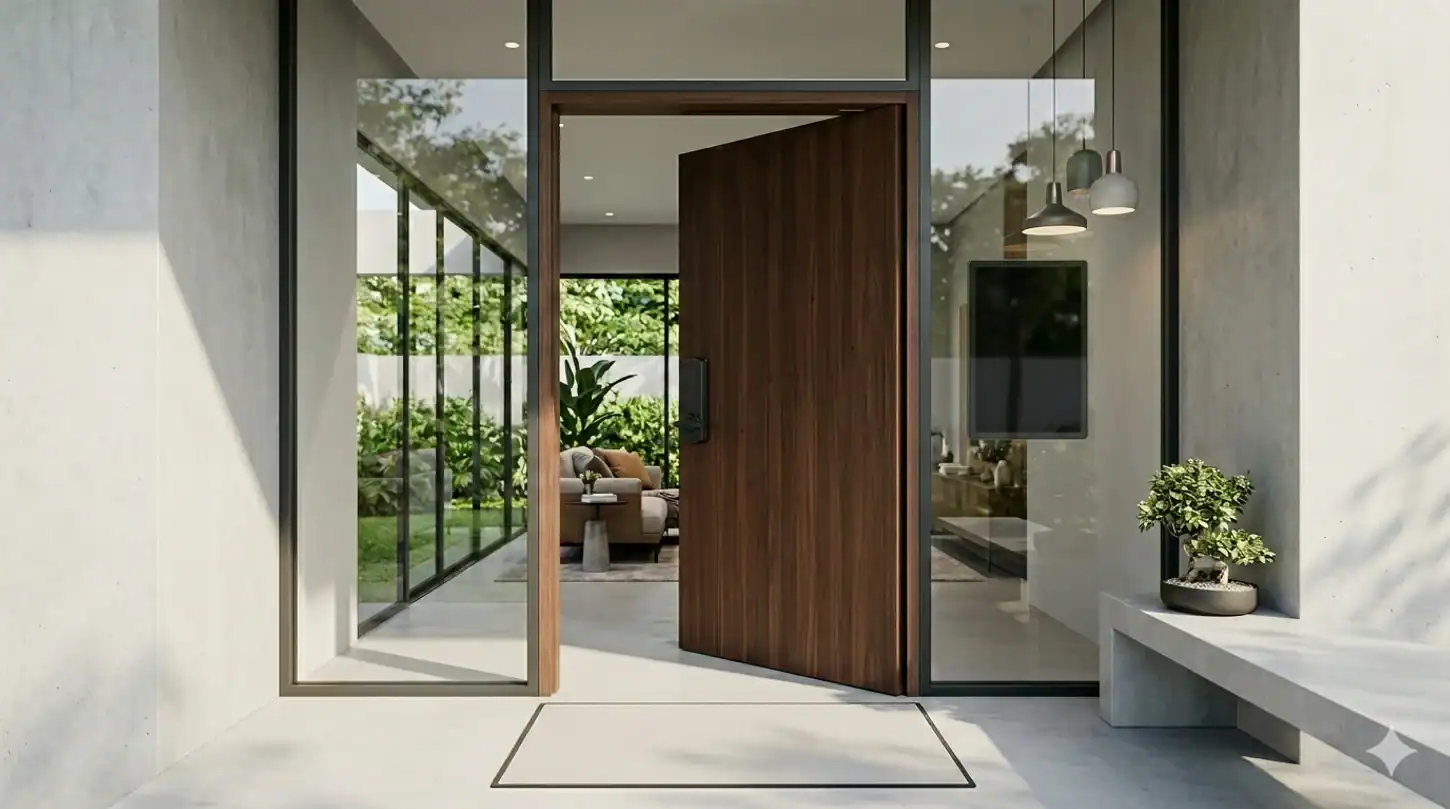
Managing an Airbnb property in 2026 demands more than just beautiful interiors and competitive pricing. Modern guests expect seamless, contactless experiences from booking through checkout, and your entry system plays a critical role in delivering that experience. Smart locks have evolved from a nice-to-have amenity into an essential tool for vacation rental success, transforming how hosts manage access, enhance security, and streamline operations.
This comprehensive guide examines the best smart locks for Airbnb properties in 2026, helping you navigate the growing market of intelligent access solutions. Whether you’re managing a single listing or a portfolio of vacation rentals, the right smart lock can eliminate key exchanges, automate guest access, reduce security concerns, and significantly improve the guest experience from the moment they arrive at your door.
Choosing the optimal smart lock involves balancing features like connectivity protocols (including the increasingly important Matter standard), property management system integration, battery longevity, installation requirements, and ongoing costs. The smart lock landscape in 2026 has matured significantly, with Matter support becoming a key differentiator that affects reliability, compatibility, and future-proofing. We’ll explore top-rated models across different price points, examine critical features that matter most for short-term rentals, and provide practical guidance for implementation and security best practices.
Why Smart Locks Are Essential for Airbnb Hosts in 2026
The vacation rental landscape has fundamentally shifted over the past few years, with technology becoming integral to guest expectations and operational efficiency. Smart locks address multiple pain points that traditional lock-and-key systems simply cannot solve in the modern short-term rental environment.
Contactless Check-In Is Now the Standard
Today’s travelers increasingly prefer self-service experiences that eliminate unnecessary human interaction. Smart locks enable completely contactless check-ins, allowing guests to access your property using unique codes sent directly to their phones. This convenience aligns perfectly with contemporary travel preferences and reduces friction at a crucial moment in the guest journey.
Contactless entry also provides flexibility for guests arriving outside traditional check-in hours. Late-night arrivals, early morning check-ins, and varying travel schedules no longer require coordination or manual intervention. Your property remains accessible exactly when your guests need it, enhancing their overall experience and reducing the burden on you as a host.
This automation directly supports better communication strategies by reducing the need for back-and-forth messaging about key pickup locations, lockbox combinations, or meeting times for key handoffs.
Automating Guest Code Creation and Expiration
Manual code management quickly becomes overwhelming when managing multiple reservations or properties. Modern smart locks integrate with booking platforms to automatically generate unique access codes for each reservation, scheduled to activate at check-in time and expire at checkout.
This automation eliminates human error, prevents unauthorized access from expired codes, and ensures each guest receives secure, time-limited entry credentials. You’ll never accidentally give two guests the same code or forget to deactivate access after a checkout.
The system works behind the scenes, creating codes as bookings arrive and removing them as guests depart. This seamless process protects your property while reducing your administrative workload significantly.
Real-Time Remote Monitoring for Hosts
Smart locks provide valuable insights into property access through detailed activity logs. You can monitor exactly when guests arrive and depart, verify successful check-ins, and receive alerts for unusual access patterns or attempted entries.
This visibility proves invaluable for managing guest expectations, troubleshooting access issues remotely, and maintaining security awareness across your portfolio. If a guest reports difficulty entering, you can immediately check whether the lock is functioning properly, verify their code is active, or provide real-time assistance.
Remote management capabilities also allow you to grant emergency access to cleaners, maintenance personnel, or property managers without physically visiting the property or providing permanent access credentials.
Improving Security and Guest Trust
Traditional keys present numerous security vulnerabilities for short-term rentals. Lost keys require expensive rekeying, duplicate keys can be made without your knowledge, and tracking who has access becomes nearly impossible over time.
Smart locks eliminate these concerns through digital access management. Each code is unique and traceable, providing accountability for every entry. You control exactly who can access your property and when, with the ability to revoke access instantly if needed.
This enhanced security benefits both you and your guests. Travelers appreciate knowing they’re the only ones with access during their stay, while you gain peace of mind knowing previous guests cannot return and your property is protected between bookings. This level of security contributes directly to creating positive first impressions that matter for guest satisfaction.
What to Look for in the Best Smart Locks for Airbnb
Not all smart locks are created equal, especially when it comes to short-term rental applications. Understanding which features truly matter for vacation rental management helps you invest wisely and avoid common pitfalls.
Matter and Thread: The 2026 Connectivity Game-Changers
The smart lock landscape in 2026 has been fundamentally transformed by the widespread adoption of Matter, the universal smart home standard that allows devices to communicate across platforms without proprietary bridges or cloud dependencies. For Airbnb hosts, Matter support has become one of the most important features to prioritize.
Matter-enabled locks communicate locally with any compatible hub—Apple Home, Google Home, Amazon Alexa—creating more stable, reliable connections than older Wi-Fi-only implementations. This local communication reduces latency, improves responsiveness, and eliminates single points of failure when cloud services experience outages.
Thread, the networking protocol underlying many Matter devices, deserves particular attention for vacation rental applications. Thread creates a mesh network between compatible devices, offering superior reliability and dramatically better battery efficiency compared to traditional Wi-Fi connections. Locks using Thread routinely achieve 10-12 months of battery life even in high-traffic vacation rentals, while Wi-Fi-dependent alternatives often require battery changes every 3-5 months under similar usage patterns.
When evaluating smart locks in 2026, prioritize models with Matter and Thread support. Both the Schlage Encode Plus and Yale Assure Lock 2 now support these standards, providing future-proof connectivity that will remain relevant as smart home ecosystems continue evolving.
Built-In Wi-Fi vs Bluetooth Connectivity
Beyond Matter and Thread, understanding traditional connectivity options helps you navigate the full landscape of available locks. Built-in Wi-Fi locks connect directly to your network, enabling remote access and management from anywhere without additional hardware.
Bluetooth-only locks require proximity for configuration and management, severely limiting remote capabilities unless paired with a separate bridge or hub device. Some manufacturers market locks with remote capabilities but actually deliver Bluetooth connectivity requiring an optional bridge purchase—read specifications carefully to understand what’s included in the base package.
For Airbnb applications, prioritize locks with true built-in connectivity—either Wi-Fi, or preferably Matter/Thread—that doesn’t depend on purchasing additional hardware. Remote access capabilities prove essential when managing properties from a distance, troubleshooting guest access issues, or monitoring multiple listings simultaneously.
Direct Airbnb and PMS Integration (Guesty, etc.)
Integration capabilities separate good smart locks from great ones for vacation rental hosts. Direct integration with Airbnb and property management systems like Guesty, Hospitable, or HostAway automates the entire access code workflow.
When properly integrated, your smart lock receives reservation information automatically, generates unique codes, and schedules activation times without any manual intervention. Codes are typically sent to guests through your existing communication channels, creating a seamless experience.
This automation becomes increasingly valuable as your portfolio grows. Managing codes manually for even three or four properties quickly becomes time-consuming and error-prone. Integration eliminates this burden entirely, freeing you to focus on other aspects of property management and guest experience.
For professional hosts, the app interface matters far less than robust PMS integration. Your property management system becomes your central dashboard, with the smart lock working quietly in the background to execute access control automatically. This distinction separates hobbyist vacation rental management from professional operations.
Automatic Code Generation and Scheduling
Beyond basic integration, examine how locks handle code generation and scheduling. The best systems create truly random, unique codes for each reservation, automatically scheduling them to activate 30 minutes before check-in and expire at checkout time.
Some systems offer customizable scheduling, allowing you to set check-in windows, early access for cleaning crews, or extended access for maintenance personnel. This flexibility helps you maintain tight operational schedules while accommodating the practical realities of turnover management.
Look for systems that allow you to generate one-time codes for service providers, temporary codes for property showings, and permanent codes for property managers or co-hosts. This versatility ensures your lock adapts to various access scenarios beyond standard guest bookings.
Battery Life: Setting Realistic Expectations
Smart locks rely on battery power, making battery life a critical consideration for vacation rental applications. However, manufacturer claims often reflect light residential use rather than the high-traffic reality of short-term rentals.
For an Airbnb property with typical turnover—guests locking and unlocking 10-15 times daily—Wi-Fi-based locks like the Schlage Encode Plus or August typically deliver 3-5 months of battery life, not the 6-12 months advertised for residential use. This shorter lifespan results from the constant connectivity and frequent motor operation inherent to vacation rental applications.
Locks using Thread protocol, like newer Yale Assure Lock 2 modules, achieve significantly better battery performance. The mesh networking and lower power consumption of Thread allows these locks to genuinely hit 10-12 month battery life even under heavy vacation rental use. This represents one of Thread’s most compelling practical advantages for short-term rental hosts.
Premium smart locks typically offer 3-6 months of battery life under vacation rental conditions, with Thread-enabled models reaching 10-12 months. Budget options may require more frequent changes. Most quality locks provide low-battery warnings well in advance, giving you time to schedule a battery replacement during normal turnover periods.
Consider the battery type as well. Locks using standard AA batteries offer convenient replacement options, while proprietary battery packs may require ordering specific replacement parts. Factor in the cost and availability of replacement batteries when evaluating total ownership costs.
Alternative Entry Methods (Keypad, Fingerprint, Apple Home Key)
While digital codes serve as the primary entry method for guests, backup access options provide important failsafe capabilities and enhanced convenience for different users.
Physical keypads allow you to maintain emergency backup codes that work even if your network connectivity fails. The type of keypad matters more than many hosts realize. Physical button keypads like those on the Schlage Encode Plus prove more “guest-proof” than touchscreens, particularly for elderly guests or in direct sunlight where touchscreens can be difficult to see and use.
Some advanced models offer fingerprint recognition, allowing property managers or cleaning staff to access properties without remembering multiple codes across your portfolio. Apple Home Key support enables iPhone and Apple Watch access for tech-savvy guests who prefer digital wallet credentials, eliminating the need to remember or reference codes entirely.
Multiple entry methods provide flexibility and redundancy. If a guest’s phone dies before they can access their digital code, a keypad backup ensures they can still enter. If your internet service experiences an outage, offline access methods keep your property accessible.
Emergency Battery Backup Features
One feature that separates truly guest-friendly locks from merely adequate ones is emergency battery backup. Several premium models, including the Yale Assure Lock 2, feature a 9V battery terminal on the exterior keypad that allows guests to “jump-start” the lock if internal batteries die unexpectedly.
This failsafe prevents the nightmare scenario of guests arriving late at night to find a dead lock and no way to enter. Instead, they can use a standard 9V battery (available at any convenience store) to temporarily power the lock, enter their code, and access the property. You’ll still need to replace the primary batteries promptly, but this feature prevents guest emergencies and frantic 3 AM phone calls.
When evaluating locks, verify whether emergency battery terminals are included. This small detail can make a significant difference in guest experience and your peace of mind.
Subscription Fees vs No-Monthly-Cost Options
The smart lock market has split into two pricing models. Some manufacturers charge monthly or annual subscription fees for remote access, integration features, or access logs. Others offer full functionality with a one-time purchase price.
For vacation rental hosts, ongoing subscription fees multiply across your property portfolio. A lock charging $5 monthly seems reasonable until you’re paying $300 annually across five properties, or $600 across ten.
Carefully evaluate which features require subscriptions and whether those features justify the ongoing cost. Some locks offer basic functionality for free but charge for advanced features like PMS integration or extended access logs. Others include everything in the purchase price with no recurring fees.
Calculate the total cost of ownership over three to five years, including purchase price, installation, batteries, and subscription fees. This complete picture helps you compare options accurately and avoid unexpected costs down the road.
Lock Operation Noise Levels
A practical consideration rarely mentioned in reviews but frequently noticed by guests: smart locks make noise when operating. The mechanical sound of motors engaging and deadbolts sliding varies significantly between models.
The August smart lock produces a distinct whirring sound as its motor rotates the existing deadbolt. The Schlage Encode Plus sounds like a heavy-duty commercial bolt sliding into place—solid and substantial. Yale models typically operate more quietly than either alternative.
In studio apartments, small spaces, or properties where bedrooms sit near entry doors, lock operation noise matters. Guests arriving late or leaving early trigger lock sounds that can wake light sleepers. While this won’t make or break your lock choice, it’s worth considering alongside other factors, particularly for properties where noise sensitivity is a concern.
Best Smart Locks for Airbnb in 2026 (Top Picks Reviewed)
After extensive evaluation of available smart locks based on vacation rental requirements, connectivity options, integration capabilities, and value proposition, these models stand out as the top choices for Airbnb hosts in 2026.
Best Overall Smart Lock for Airbnb – Schlage Encode Plus Smart WiFi Deadbolt
The Schlage Encode Plus represents the gold standard for vacation rental smart locks, combining robust build quality, reliable connectivity with Matter and Thread support, comprehensive integration options, and zero ongoing subscription fees. This lock excels across virtually every criterion that matters for short-term rental applications.
Built-in Wi-Fi eliminates the need for additional bridges or hubs, enabling direct communication with your network and allowing remote management from anywhere. Thread support provides excellent battery efficiency and reliable mesh networking. The lock integrates seamlessly with major vacation rental platforms and property management systems, automating code generation and scheduling without manual intervention.
Schlage’s reputation for security and durability translates into locks that withstand the heavy use typical of vacation rentals. The BHMA Grade 1 security rating provides top-tier protection against forced entry—a critical consideration for insurance purposes that many hosts overlook. The lock’s solid construction ensures reliable operation through countless guest turnovers.
The physical button keypad proves exceptionally guest-proof, remaining visible and usable in direct sunlight and easy to operate for guests of all ages. Apple Home Key support enables tap-to-enter access for iPhone and Apple Watch users, offering a premium contactless experience.
Battery life typically extends 3-5 months in high-traffic vacation rental applications, with Thread connectivity helping extend that lifespan compared to Wi-Fi-only alternatives. The lock provides clear low-battery warnings providing ample notice for replacements.
The Schlage Encode Plus commands a premium price point, typically ranging from $300-$350, but delivers value through reliability, longevity, and zero monthly subscription fees. For hosts prioritizing dependability and comprehensive features, this investment pays dividends through reduced maintenance and superior guest experiences. This is the “tank” that just works, year after year.
Best for Design & Airbnb Integration – Yale Assure Lock 2
Yale Assure Lock 2 stands out for its sophisticated design aesthetic, modular connectivity options, and exceptional integration ecosystem. This lock appeals to hosts managing upscale properties where appearance matters as much as functionality, and who want flexibility as technology standards evolve.
Available in multiple finishes including polished chrome, satin nickel, and oil-rubbed bronze, the Yale Assure Lock 2 complements virtually any door hardware aesthetic. The touchscreen keypad provides an intuitive interface that tech-savvy guests find easy to use, though it can be harder to see in direct sunlight compared to physical button keypads—a consideration for properties with sun-facing entry doors.
The modular design allows you to swap connectivity modules as standards evolve. Purchase the lock with Wi-Fi today, and upgrade to a Matter module tomorrow without replacing the entire lock. This future-proofing provides exceptional value for hosts planning long-term ownership.
Integration capabilities set this lock apart from competitors. Yale partners directly with major vacation rental platforms, offering streamlined setup processes and reliable code synchronization. The lock works with the Yale Access app for management, providing detailed access logs and remote control capabilities.
The 9V emergency battery terminal on the exterior keypad serves as a critical failsafe, allowing guests to jump-start the lock if batteries die unexpectedly. This feature alone prevents countless guest emergencies and frustrated late-night calls.
Matter and Thread support in current models delivers excellent battery performance, with Thread-equipped versions genuinely achieving 10-12 months between battery changes even under heavy vacation rental use.
The Yale Assure Lock 2 typically retails between $200-$280 depending on finish and connectivity module selection. While not the least expensive option, the combination of aesthetics, modular upgradeability, native Airbnb integration, and reliable performance makes it ideal for hosts focused on premium guest experiences and long-term flexibility.
Best Retrofit Option for Rental-Friendly Install – August Wi-Fi Smart Lock (4th Gen)
For hosts renting their properties or managing spaces where permanent modifications are discouraged, the August Wi-Fi Smart Lock provides an ideal solution. This innovative design mounts over your existing deadbolt on the interior side, leaving the exterior appearance unchanged.
Installation takes minutes without tools, requiring only the removal of your existing thumb turn and attachment of the August device in its place. This retrofit approach makes the lock perfect for apartment rentals, condos with restrictions, or any situation where you need to maintain the original exterior lock hardware.
The compact design fits most standard deadbolts, though compatibility should be verified before purchase. Built-in Wi-Fi provides remote access capabilities, while the August app offers clean interfaces for code management and activity monitoring.
Integration with vacation rental platforms enables automated code generation through bridge connections, though the setup process requires more steps than native integrations offered by Schlage or Yale. The lock supports auto-lock and auto-unlock features based on your phone’s proximity, useful for property managers making frequent visits.
The motor operation produces a distinct whirring sound that’s noticeably louder than deadbolt replacement options. In small studios or properties with bedrooms near entry doors, this operational noise may be more noticeable to guests, though rarely problematic.
Battery life averages 3-5 months in vacation rental applications, similar to other Wi-Fi-based alternatives. The August Wi-Fi Smart Lock typically costs $230-$270, positioning it as a mid-range option that prioritizes installation flexibility over other considerations.
Best Budget Smart Lock – Wyze Lock Bolt
Budget-conscious hosts managing single properties or just entering the vacation rental market will appreciate the Wyze Lock Bolt’s combination of essential features and affordable pricing. However, understanding its connectivity limitations is critical to avoid frustration.
The Wyze Lock Bolt uses Bluetooth connectivity, not built-in Wi-Fi as sometimes believed. To access remote management features, you’ll need the Wyze Video Doorbell or a separate Wyze bridge device. This additional hardware requirement isn’t included in the base price and must be factored into your total cost calculation.
Once properly configured with the necessary bridge hardware, the lock offers keypad access, basic integration capabilities through the Wyze app, and remote code management. Manual code creation remains straightforward through the mobile app, though automated vacation rental platform integration is not available.
Security features include automatic locking, tamper alerts, and detailed access logs. The lock supports up to 250 unique access codes, more than sufficient for most vacation rental scenarios. Battery life extends approximately 6 months with regular use, benefiting from the lower power consumption of Bluetooth compared to Wi-Fi.
Build quality and durability don’t match premium options, making this lock better suited for lower-traffic properties or hosts willing to accept shorter product lifespans. The Wyze Lock Bolt excels as an entry point into smart lock technology or for hosts testing the concept before committing to more expensive systems.
At approximately $70-$90 for the lock alone (plus $30-$50 for the necessary bridge hardware), the total investment approaches $120-$140—still less than half the cost of premium alternatives. This price point makes it attractive for hosts on tight budgets or those managing properties where premium features aren’t necessary for guest satisfaction, provided you understand the connectivity requirements before purchasing.
Best for Comprehensive Security – Eufy Security S230
Security-focused hosts managing high-value properties or operating in areas with elevated security concerns should consider the Eufy Security S230. This lock combines smart access features with advanced security monitoring capabilities.
Built-in video recording captures everyone who approaches your door, providing visual verification of guests, service providers, and any unexpected visitors. The integrated camera works alongside the smart lock functionality, creating a comprehensive access and monitoring solution.
Fingerprint recognition offers an additional entry method beyond access codes, ideal for property managers or cleaning staff who visit multiple properties. The rechargeable battery system eliminates ongoing battery replacement costs, though it requires periodic charging via the included USB cable.
The Eufy Security S230 integrates with the Eufy Security ecosystem, allowing coordination with other Eufy cameras or sensors throughout your property. While direct vacation rental platform integration is limited, the enhanced security features justify manual code management for many hosts.
Pricing typically ranges from $250-$300, positioning it as a premium option focused on security rather than pure convenience. For hosts prioritizing property protection and visual verification over seamless booking integration, this lock delivers exceptional value.
Best for Remote Management (Low Wi-Fi Dependency) – Igloohome Smart Deadbolt / Keybox
Properties in rural areas, remote locations, or places with unreliable internet connectivity face unique challenges with Wi-Fi-dependent smart locks. The Igloohome Smart Deadbolt addresses these challenges through its innovative AlgoPIN technology, which works without constant internet connectivity.
Igloohome generates time-sensitive PIN codes using synchronized algorithms rather than real-time internet communication. Hosts create codes through the Igloohome app while connected to the internet, but the lock itself doesn’t require active connectivity to verify and accept those codes during guest stays.
This offline-first approach proves invaluable for cabins, mountain properties, beach houses, or rural rentals where cellular and internet service may be spotty or nonexistent. Guests receive their codes via text or email and can access the property even if your Wi-Fi is down or unavailable.
The system supports integration with major booking platforms, automating code generation and distribution despite the lock’s offline operation. Bluetooth connectivity allows local management when you’re at the property, while internet connectivity is only needed for initial setup and code generation.
Igloohome offers both full deadbolt replacements and keybox options. The keybox model works well for properties where you prefer not to replace the existing lock, or for securing keys, garage door openers, or other items guests need to access.
Pricing ranges from $150-$220 depending on the model, representing excellent value for the unique offline capabilities. For hosts managing remote properties where Wi-Fi fails more often than it succeeds, Igloohome often represents the only practical smart lock solution—this is the “pro move” most hosts overlook.
In-Depth Comparison: Schlage Encode Plus vs Yale Assure Lock 2
The Schlage Encode Plus and Yale Assure Lock 2 consistently rank as the top two smart lock choices for vacation rental applications. Understanding the nuanced differences between these premium options helps you select the best fit for your specific needs.
Security Features and Build Quality
Both locks meet high security standards, but their approaches differ slightly. The Schlage Encode Plus carries BHMA Grade 1 certification, the highest security rating available for residential locks. This rating requires the lock to withstand significant forced entry attempts and operate reliably through extensive use cycles.
This certification matters beyond pure security. Many insurance policies for vacation rental properties consider security measures when determining premiums and coverage. BHMA Grade 1 certification can positively influence insurance evaluations and provide documentation of proper security measures.
Yale Assure Lock 2 meets BHMA Grade 2 standards, still providing excellent security for residential applications. The practical difference between Grade 1 and Grade 2 for vacation rental purposes is minimal, as both offer substantial protection against common threats.
Build quality for both manufacturers is exceptional, with solid metal construction and weather-resistant finishes. Schlage uses hardened steel bolts and reinforced strike plates, while Yale emphasizes precise manufacturing tolerances and corrosion-resistant materials.
In real-world vacation rental applications, both locks demonstrate excellent durability through heavy use. Your choice here depends more on whether you prioritize the absolute highest security rating and insurance considerations (Schlage) or prefer Yale’s other advantages discussed below.
Airbnb Integration and Code Automation
Integration capabilities represent one of the most important considerations for vacation rental hosts. Both locks offer integration with major platforms, but implementation details vary.
Schlage Encode Plus works with vacation rental platforms through the Schlage Home app and third-party integration services. The setup process is straightforward, and once configured, code generation and scheduling work reliably with minimal intervention.
Yale Assure Lock 2 benefits from Yale’s extensive partnerships with property management systems and smart home platforms, including native Airbnb integration. Many hosts report smoother initial setup experiences and more reliable ongoing synchronization with booking platforms compared to alternatives.
Both systems effectively automate the code generation workflow, creating unique codes for each reservation and scheduling them appropriately. The practical difference in daily operation is negligible for most hosts, with both delivering the automation benefits that make smart locks valuable for vacation rentals.
For professional hosts managing multiple properties through property management systems like Guesty or Hospitable, both locks integrate effectively. The app becomes less relevant than the PMS integration, which both handle competently.
Installation and Compatibility
Installation requirements are similar for both locks, with each requiring complete deadbolt replacement rather than retrofit installation. The Schlage Encode Plus installation process takes 15-30 minutes for someone with basic DIY skills and requires a Phillips head screwdriver. The lock fits standard door preparations (2-1/8″ cross bore and 1″ edge bore), ensuring compatibility with most residential doors.
Yale Assure Lock 2 also requires deadbolt replacement and follows a similarly straightforward installation process. The lock accommodates doors of varying thickness more easily than some competitors, providing slight additional flexibility in unusual door configurations.
Both locks include detailed instructions and the necessary installation hardware. For hosts uncomfortable with DIY installation, local handymen or locksmiths typically charge $50-$100 for smart lock installation.
Neither lock works with mortise-style locks common in some older buildings or commercial applications. Verify your door uses a standard deadbolt before purchasing either option.
Which One Is Better for Multi-Unit Hosts?
For hosts managing multiple properties, both locks offer advantages worth considering. The decision often comes down to specific priorities and existing technology ecosystems.
Schlage Encode Plus provides consistency and reliability across your portfolio. The no-subscription-fee model keeps ongoing costs predictable, important when multiplying expenses across multiple properties. The locks’ BHMA Grade 1 durability reduces replacement frequency, lowering long-term ownership costs. The physical button keypad proves more universally guest-friendly across different demographics and environmental conditions.
Yale Assure Lock 2’s modular design and superior integration ecosystem can save significant time during initial setup and ongoing management. If you’re using a property management system that integrates particularly well with Yale, the smoother workflow may justify any marginal additional considerations. The ability to upgrade connectivity modules as standards evolve provides exceptional future-proofing for long-term ownership.
Many successful multi-unit hosts use both brands across their portfolios, selecting based on specific property requirements, door compatibility, or aesthetic preferences. There’s no wrong choice here—both locks deliver the professional-grade performance vacation rental hosts need.
Smart Locks That Work Without Constant Wi-Fi
Internet connectivity isn’t universal, and even in urban areas, network outages can disrupt Wi-Fi-dependent smart locks. Understanding alternatives that function reliably without constant connectivity helps you choose appropriately for different property scenarios.
How Igloohome’s AlgoPIN Technology Works
Igloohome pioneered an innovative approach to smart lock operation that doesn’t require real-time internet connectivity. The system uses synchronized cryptographic algorithms running on both the lock and the Igloohome servers to generate and validate time-sensitive PIN codes.
When you create an access code through the Igloohome app, the system calculates what PIN will be valid during the specified timeframe using an algorithm synchronized with the lock’s internal clock. The lock independently performs the same calculation when a guest enters a code, verifying validity without needing to communicate with servers.
This approach requires accurate timekeeping on the lock itself, which Igloohome achieves through precision internal clocks that maintain accuracy over extended periods. During installation and periodic maintenance, you sync the lock’s clock with internet time servers using Bluetooth connectivity.
The result is a lock that works completely offline during guest stays while still offering the automation and security benefits of smart locks. Codes expire exactly on schedule, guest access remains secure, and you maintain full control without depending on internet connectivity.
When Offline Access Makes Sense for Remote Properties
Properties in rural locations, mountain areas, beach communities, or any setting with unreliable internet service face challenges with traditional Wi-Fi smart locks. Power outages can disable Wi-Fi routers, cellular coverage may be limited, and natural disasters or severe weather can interrupt connectivity for extended periods.
Offline-capable smart locks ensure your property remains accessible regardless of internet status. Guests can check in on schedule, cleaning crews can access properties between turnovers, and emergency maintenance can proceed without connectivity-related delays.
This reliability proves especially valuable for properties you visit infrequently. You won’t discover connectivity issues have prevented guest access only when reviewing activity logs or receiving frustrated messages from stranded guests.
Remote properties also benefit from reduced infrastructure requirements. Without needing reliable Wi-Fi throughout your property, you avoid monthly internet service costs and eliminate one potential point of failure in your operational stack. For a cabin in the woods where Wi-Fi fails more often than it works, Igloohome is the only solution worth trusting.
Pros and Cons of Non-Wi-Fi Smart Locks
Offline-capable smart locks offer distinct advantages for specific scenarios while presenting some limitations compared to always-connected alternatives.
The primary benefit is operational independence from internet connectivity. Your lock works reliably regardless of Wi-Fi status, power outages affecting network equipment, or issues with your internet service provider. This reliability provides peace of mind and ensures guests can always access your property when expected.
Cost savings represent another advantage. Without requiring internet service, you eliminate monthly connectivity costs for properties you don’t visit regularly. This can save $50-$100 monthly for remote vacation rentals where internet primarily serves the smart lock.
Reduced complexity in your technology stack means fewer potential failure points. You’re not dependent on router configurations, network security settings, or the reliability of third-party connectivity services.
However, offline locks sacrifice real-time monitoring capabilities. You can’t check if a guest has arrived, verify lock status remotely, or receive instant notifications of access events. Activity logs must be retrieved when you visit the property or sync via Bluetooth when in range.
Remote troubleshooting becomes more challenging without connectivity. If a guest reports access problems, you can’t remotely verify lock status, test codes, or adjust settings without being physically present or having Bluetooth range.
Integration with automation systems is limited compared to connected locks. You can’t trigger other smart home actions based on lock events, coordinate with smart thermostats or lighting systems, or incorporate the lock into broader property automation routines.
For remote properties where internet reliability is questionable, the advantages of offline operation typically outweigh these limitations. For urban properties with solid connectivity, connected locks with Matter and Thread support offer superior features and capabilities.
Budget vs Premium Smart Locks for Airbnb Hosts
Smart lock pricing spans a wide range, from budget options under $100 to premium systems exceeding $400. Understanding what each price tier delivers helps you invest appropriately for your property type and guest expectations.
Smart Locks Under $200
Budget-friendly smart locks typically sacrifice some features or build quality while delivering core functionality that works adequately for many vacation rental applications. These locks often require manual code management rather than automated integration, use less durable materials, and may have shorter lifespans.
The Wyze Lock Bolt represents the budget category at $70-$90 for the base unit, though remember you’ll need an additional bridge device ($30-$50) for remote access capabilities, bringing total investment to $120-$140. It provides keypad access, basic smart features through the Wyze app, and sufficient security for lower-risk properties. While it won’t withstand heavy use as well as premium options, it delivers acceptable performance for hosts managing single properties or testing smart lock functionality before larger investments.
Budget locks make sense for properties in safe neighborhoods where absolute maximum security isn’t critical, for hosts just starting out who need to minimize upfront costs, or for lower-value properties where guest expectations align with basic amenities.
Expect to replace budget locks more frequently than premium options. Factor replacement costs into your total ownership calculation, as a $140 lock replaced every two years may cost more than a $300 lock lasting six years.
Mid-Range Options for Growing Hosts
The $200-$300 price range offers the sweet spot for many vacation rental hosts. Locks in this category typically provide robust build quality, integration capabilities, and features that serve the vast majority of short-term rental needs without premium pricing.
Yale Assure Lock 2 and Igloohome models fall into this mid-range category. These locks balance cost against features effectively, delivering professional-grade performance without the premium pricing of absolute top-tier options.
Mid-range locks suit hosts managing small to medium portfolios, properties generating moderate revenue, or situations where you want solid performance without overspending. The durability and features at this price point handle heavy vacation rental use reliably while keeping costs reasonable as you scale across multiple properties.
Integration capabilities at this price level typically include major vacation rental platforms and property management systems. You’ll get automated code generation, scheduling, and the operational efficiency benefits that make smart locks valuable for rental management.
Premium Locks for Luxury Vacation Rentals
Premium smart locks costing $300-$400 or more deliver superior build quality, advanced features, comprehensive integration options, and the aesthetic refinement expected in upscale properties. These locks justify their pricing through extended lifespans, enhanced security, and the peace of mind that comes from top-tier components.
Schlage Encode Plus represents the premium category, offering BHMA Grade 1 security, built-in connectivity with Matter and Thread support, extensive integration options, and construction designed for heavy commercial use. While vacation rentals don’t technically require commercial-grade hardware, the enhanced durability provides value through reduced maintenance and longer replacement intervals.
Luxury properties command nightly rates that justify premium amenities. Guests paying $300-$500 or more per night expect high-quality details throughout the property, including entry systems that operate flawlessly and project sophisticated aesthetics.
Premium locks also make sense for hosts prioritizing absolute security in high-value properties. The enhanced protection against forced entry, superior component quality, and comprehensive security features provide meaningful advantages for properties containing expensive furnishings or equipment.
Consider premium locks an investment in guest experience quality and operational reliability. The incremental cost difference spreads across many guest stays, and the superior performance contributes to positive reviews and repeat bookings that more than offset the initial expense.
Smart Lock Integration with Airbnb and Property Management Systems
Automation separates truly valuable smart locks from basic digital locks for vacation rental applications. Understanding how integration works and what to expect helps you select locks that deliver maximum operational efficiency.
Direct Airbnb Sync for Automatic Guest Codes
Direct Airbnb integration represents the holy grail of vacation rental smart lock functionality. When properly configured, your smart lock receives booking information automatically from Airbnb and generates unique access codes without any manual intervention.
The process works through API connections between Airbnb, your smart lock manufacturer’s servers, and the lock itself. When a guest books your property, Airbnb transmits reservation details including guest name, check-in time, and checkout time to the smart lock system.
The smart lock platform generates a random, unique PIN code, schedules it to activate 30 minutes before check-in, and sets automatic expiration at checkout time. This code is then transmitted back to Airbnb’s system and included in automated guest messages, ensuring guests receive their access code without requiring additional communication from you.
Not all smart locks offer true direct integration. Some require third-party middleware services or property management systems to facilitate the connection. Verify integration capabilities carefully before purchasing, as “works with Airbnb” can mean anything from direct API integration to manual code entry processes.
Integration with Guesty and Other PMS Platforms
Property management systems provide more powerful integration options than direct platform connections alone. Systems like Guesty, Hospitable, HostAway, and others serve as central hubs coordinating multiple aspects of vacation rental operations, including smart lock management.
PMS integration typically offers more flexibility and reliability than direct platform connections. The property management system receives bookings from all your channels—Airbnb, VRBO, Booking.com, direct bookings—and manages smart lock codes consistently regardless of booking source.
This unified approach ensures guests receive the same seamless access experience whether they book through Airbnb, find your property on VRBO, or book directly through your website. The codes, timing, and communication remain consistent, reducing confusion and potential access issues.
For professional hosts managing multiple properties, the PMS becomes the single source of truth. Your smart lock app becomes largely irrelevant once proper PMS integration is configured. This integration layer represents the difference between hobbyist vacation rental management and professional operations.
Advanced property management systems also coordinate smart lock access with other operational tasks. Your cleaning crew might receive an access code automatically scheduled after guest checkout, or your maintenance team could get temporary codes for specific service windows.
Setting up PMS integration typically requires configuring API connections and mapping properties between systems. Most property management platforms provide detailed setup guides and customer support to facilitate this process. The initial configuration takes some effort but delivers significant ongoing operational efficiency.
Managing Multiple Listings from One Dashboard
Hosts managing multiple properties or multiple listings within the same property need centralized management capabilities. Juggling separate apps or systems for each lock quickly becomes unmanageable and increases the likelihood of errors.
Quality smart lock systems designed for vacation rental applications provide unified dashboards showing all your locks, active codes, recent access events, and battery status across your entire portfolio. You can view which guests are currently in which properties, generate emergency access codes for any location, and monitor security events from a single interface.
This centralization proves especially valuable when scaling your vacation rental business. As you grow from one property to three, five, or ten properties, unified management prevents the operational chaos that could otherwise overwhelm your systems.
Look for mobile apps offering offline access to basic lock information and management features. Even if your lock requires internet connectivity for remote operation, having access to your configuration and recent activity when you’re physically at a property without good cellular service provides valuable capabilities.
Installation Guide: Setting Up a Smart Lock for Your Airbnb
Proper installation ensures your smart lock operates reliably and withstands heavy vacation rental use. Understanding the installation process helps you decide whether to tackle the project yourself or hire professional assistance.
Retrofit vs Full Deadbolt Replacement
Smart locks fall into two installation categories based on how they attach to your door. Understanding the difference helps you select the appropriate lock type and prepare for installation accordingly.
Retrofit locks like the August Wi-Fi Smart Lock mount over your existing deadbolt’s interior thumb turn, leaving the exterior lock appearance unchanged. These locks appeal to renters, condo owners with exterior modification restrictions, or anyone wanting to preserve original hardware aesthetics.
Installation simplicity represents the primary advantage of retrofit designs. You’ll remove your existing interior thumb turn, attach the smart lock adapter plate, and mount the smart lock unit—typically a 10-15 minute process requiring no tools beyond what’s included.
Retrofit locks work only with existing deadbolts in good condition. If your current deadbolt is worn, sticky, or unreliable, a retrofit smart lock can’t improve that underlying performance. The smart lock only controls the existing mechanism, so any mechanical issues persist.
Full deadbolt replacement locks require removing your existing deadbolt completely and installing new hardware. This process takes longer and requires more mechanical skill but results in a completely new locking mechanism designed specifically to work with the smart lock electronics.
Most premium smart locks including Schlage Encode Plus and Yale Assure Lock 2 require full deadbolt replacement. This approach ensures optimal performance, reliability, and security since all components work together as an integrated system.
Step-by-Step Installation Overview
Installing a full replacement smart lock deadbolt involves several straightforward steps that most homeowners can complete with basic tools and mechanical aptitude. Professional installation remains available if you’re uncomfortable with the process.
Begin by removing your existing deadbolt. This typically involves removing two screws on the interior side that hold the deadbolt assembly together, then extracting the deadbolt from the door. Note the configuration of your existing deadbolt—particularly the latch direction—to ensure proper installation of the new lock.
Install the new latch assembly through the door edge, ensuring it faces the correct direction for your door’s swing. The latch contains a spring-loaded bolt that must retract into the door rather than stick out. This step determines whether the lock will actually secure your door properly.
Thread the exterior portion through the door, feeding the cable or connector through as needed. Smart lock designs vary, but most connect interior and exterior sections through a ribbon cable or wire connector. Handle these components carefully to avoid damage during installation.
Attach the interior portion of the lock, aligning it properly with the exterior section and securing it with the provided screws. Many smart locks include alignment guides or features ensuring the two halves mate correctly. Tighten screws firmly but avoid overtightening, which can strip the threads or crack plastic components.
Install batteries in the designated compartment, typically located in the interior unit. Follow the polarity markings carefully to ensure proper battery installation. Most locks won’t power on with reversed batteries, though some include reverse polarity protection.
Test mechanical operation before proceeding to electronic configuration. The deadbolt should extend and retract smoothly without binding or sticking. Any mechanical resistance indicates misalignment or improper installation that must be corrected before relying on the lock.
Follow the manufacturer’s app-based setup process to configure your smart lock. This typically involves downloading the companion app, creating an account, adding your lock using Bluetooth pairing, connecting to your Wi-Fi network or Matter hub, and configuring basic settings like auto-lock timing and access codes.
Test all entry methods including access codes, physical keypads, and any backup mechanical keys before considering installation complete. Verify the lock operates smoothly, latches securely, and responds properly to both electronic and manual operation.
Common Setup Mistakes to Avoid
Several common installation errors can compromise smart lock performance or reliability. Avoiding these mistakes saves troubleshooting time and ensures proper operation from the start.
Misaligned latch installation represents one of the most common issues. If the latch mechanism isn’t perfectly aligned with the strike plate, the deadbolt will bind during operation, causing excessive battery drain as the motor works against resistance. Verify smooth mechanical operation before proceeding to electronic configuration.
Overtightening installation screws can crack plastic components or strip threads, compromising security and requiring replacement parts. Follow manufacturer torque recommendations or simply tighten screws firmly until snug without excessive force.
Poor Wi-Fi signal at the lock location causes connectivity issues, delayed response, and unreliable remote access. Test Wi-Fi signal strength at your door before installation. If signal is weak, consider Wi-Fi range extenders or mesh networking systems to ensure solid connectivity. For Matter-enabled locks with Thread support, ensure you have a Thread border router positioned appropriately.
Skipping the testing phase before guest arrival risks discovering issues when a guest tries to check in. Always test all entry methods, verify code generation works properly, and confirm integration with your booking platform operates correctly before your first reservation.
Using mismatched or low-quality batteries leads to premature battery drain and potential guest lockouts. Use high-quality alkaline or lithium batteries from reputable manufacturers and replace all batteries simultaneously rather than mixing old and new.
Failing to update firmware during initial setup leaves your lock running outdated software that may contain bugs or security vulnerabilities. Most smart lock apps prompt you to update firmware during setup—always complete these updates before putting the lock into service.
Smart Lock Security Best Practices for Short-Term Rentals
Smart locks provide enhanced security compared to traditional keys, but proper configuration and ongoing management ensure you’re maximizing protection for your vacation rental property.
Creating Unique, Time-Limited Guest Codes
Every guest should receive a unique access code that works only during their reservation period. Never reuse codes between guests or maintain permanent codes that multiple people share over time.
Unique codes provide accountability, allowing you to track exactly who accessed your property and when. If any security incident occurs, you can review access logs to determine which codes were used during the relevant timeframe.
Time-limited codes eliminate the risk of former guests returning after checkout. Codes should activate 30 minutes before official check-in time, providing buffer for early arrivals without allowing access too far in advance. Expiration should occur at checkout time, preventing any possibility of overstaying or unauthorized return.
Most integrated smart lock systems handle this automatically, generating random codes and scheduling them appropriately. If you’re managing codes manually, establish consistent processes ensuring every reservation receives proper code timing without exception.
Avoid sequential or predictable code patterns. Random codes prevent guests from guessing other active codes or future codes for subsequent reservations. Quality smart lock systems generate truly random codes using secure algorithms.
Enabling Two-Factor Authentication
Your smart lock management account controls access to your property, making account security critical. Two-factor authentication adds essential protection against unauthorized access to your smart lock system.
Enable two-factor authentication on your smart lock app account, property management system, and any platforms connected to your lock integration. This ensures that even if your password is compromised, attackers can’t access your lock controls without also compromising your second factor.
Most smart lock manufacturers support authentication apps like Google Authenticator or SMS-based codes. Authentication apps provide superior security to SMS, though SMS remains significantly better than password-only protection.
Review account access regularly, especially if you share management responsibilities with co-hosts or property managers. Remove access for anyone no longer involved with your property management to minimize exposure.
Monitoring Access Logs in Real Time
Regular review of access logs helps you verify operations are proceeding normally and detect any unusual activity that might indicate security issues or operational problems.
Configure notifications for important events like failed access attempts, low battery warnings, or access during unexpected times. Most smart lock apps allow customizable alerts ensuring you’re informed of events requiring attention without being overwhelmed by routine notifications.
Check logs after each checkout to verify the guest has departed when expected. Delayed departures might indicate guests overstaying, which you can address before it becomes a larger issue. Early departures might signal guest satisfaction problems worth investigating.
Failed code attempts might indicate guests struggling with access, providing an opportunity to proactively reach out and assist. Multiple failed attempts from a single code could also indicate someone trying to gain unauthorized access, warranting further investigation.
Access during maintenance windows verifies your cleaning crew or service providers are attending to the property as scheduled. This visibility helps you manage vendor performance and ensure turnovers happen reliably.
Regular Firmware Updates and Maintenance
Smart locks are computers, and like all computing devices, they require periodic software updates addressing bugs, security vulnerabilities, and adding new features or improvements.
Enable automatic firmware updates if your smart lock supports this feature. Automatic updates ensure your lock always runs the latest software without requiring manual intervention. Most updates install during low-activity periods to avoid disrupting operations.
If automatic updates aren’t available, check for updates monthly and install them promptly. Security updates are particularly critical, as vulnerabilities could potentially allow unauthorized access if left unpatched.
Physical maintenance includes regular battery replacement, cleaning of the keypad or touchscreen, and verification of mechanical operation. Wipe fingerprints and debris from keypads periodically to maintain appearance and functionality.
Test the lock’s mechanical backup key if equipped, ensuring it still operates properly. This backup access method could become critical if the electronic components fail, and you don’t want to discover a stuck key mechanism during an emergency.
Lubricate the deadbolt mechanism annually using dry graphite lubricant. Avoid oil-based lubricants that can attract dust and grime, eventually causing the mechanism to bind. A small amount of graphite keeps mechanical components operating smoothly through heavy use.
Frequently Asked Questions About Airbnb Smart Locks
What Is the Best Smart Lock for Airbnb in 2026?
The Schlage Encode Plus Smart WiFi Deadbolt represents the best overall choice for most Airbnb hosts, balancing robust BHMA Grade 1 security, reliable connectivity with Matter and Thread support, comprehensive integration options, and zero monthly fees. Its physical button keypad proves exceptionally guest-proof across all demographics and lighting conditions.
For hosts prioritizing aesthetics, modular upgradeability, and seeking a slightly lower price point, the Yale Assure Lock 2 offers excellent performance with sophisticated design options and the ability to swap connectivity modules as technology evolves. Budget-conscious hosts managing lower-traffic properties may find the Wyze Lock Bolt adequate for basic smart lock functionality at a fraction of premium lock prices, though remember it requires an additional bridge device for remote access.
No single lock is perfect for every situation. Your ideal choice depends on factors including property value, guest expectations, integration requirements, aesthetic preferences, and budget constraints. Evaluate your specific needs against each lock’s strengths to select the optimal match.
Which Smart Locks Integrate Directly with Airbnb?
Several smart lock manufacturers offer Airbnb integration, though implementation quality varies. Yale Assure Lock 2 provides native Airbnb integration through direct partnerships, offering streamlined setup and reliable synchronization. Schlage Encode Plus supports Airbnb integration through their app and third-party integration services.
Property management systems like Guesty, Hospitable, and HostAway provide more robust integration capabilities, connecting multiple smart lock brands to Airbnb and other vacation rental platforms simultaneously. This approach often delivers more reliable automation than direct manufacturer integrations and becomes essential for professional hosts managing multiple properties across different booking channels.
August smart locks integrate with Airbnb through the August app and connected services. Igloohome offers integration through their platform, generating codes automatically based on Airbnb reservation information despite the locks’ offline operation capabilities.
Verify current integration capabilities before purchasing, as partnerships and features change over time. Manufacturer websites and support resources provide up-to-date information about supported platforms and integration methods.
Do Smart Locks Require Wi-Fi to Work?
Most smart locks function mechanically without Wi-Fi, accepting programmed codes even during network outages. However, remote management, real-time notifications, and automated code generation typically require internet connectivity.
Locks with built-in Wi-Fi like Schlage Encode Plus connect directly to your network. Matter-enabled locks with Thread support create mesh networks that provide superior reliability and don’t require direct Wi-Fi connectivity for each device. Bluetooth-only locks like the Wyze Lock Bolt require a separate bridge device to enable remote access.
Igloohome smart locks represent a unique category, using AlgoPIN technology that generates time-sensitive codes without requiring constant internet connectivity. These locks work completely offline while still offering automated code generation and scheduling, making them ideal for remote properties with unreliable internet service.
Evaluate your connectivity situation when selecting a smart lock. Reliable Wi-Fi or Matter/Thread infrastructure enables the most features and convenience, but offline-capable locks provide essential functionality when internet connectivity is questionable.
What Happens If the Battery Dies During a Guest Stay?
Most quality smart locks provide low-battery warnings weeks before complete battery depletion, giving you ample time to replace batteries during normal turnover periods. Warnings typically appear in the companion app and may trigger email or push notifications.
If batteries die completely before replacement, many premium smart locks include emergency backup power options. Models like the Yale Assure Lock 2 feature external 9V battery terminals on the keypad, allowing guests to touch a standard 9V battery (available at any convenience store) to the terminals, providing temporary power to enter their code and unlock the door.
Physical backup keys provide another failsafe option on locks equipped with exterior keyholes. You can provide emergency instructions to guests explaining where to find a hidden backup key if they encounter battery issues.
Proactive battery management prevents these situations. Replace batteries on a schedule based on manufacturer recommendations and your property’s usage patterns rather than waiting for low-battery warnings. Many hosts replace batteries during seasonal deep cleaning or at specific calendar intervals regardless of current battery status. For high-traffic vacation rentals, expect to replace batteries in Wi-Fi locks every 3-5 months, while Thread-enabled locks may last 10-12 months.
Are Smart Locks Worth It for One Airbnb Property?
Even hosts managing a single Airbnb property benefit significantly from smart lock installation. The convenience of automated access, elimination of key management hassles, and improved guest experience justify the investment across virtually any vacation rental scenario.
Consider the time savings from eliminating key exchanges, lockbox maintenance, and manual code management. These operational efficiencies accumulate over multiple guest stays, quickly offsetting the smart lock’s initial cost through reduced time investment.
Enhanced security protects your property investment and provides peace of mind. You’ll know exactly who accessed your property and when, receive alerts for unusual activity, and maintain complete control over access credentials.
Guest experience improvements contribute to positive reviews and repeat bookings. Modern travelers expect seamless digital experiences, and smart locks deliver the contactless convenience that aligns with contemporary preferences. This enhanced guest satisfaction directly impacts your property’s success and revenue potential.
Calculate payback period based on your specific situation. A $300 smart lock saves perhaps 30 minutes per guest stay in key coordination time. At 20 bookings annually, that’s 10 hours saved. Value that time appropriately for your situation, but for most hosts, the benefits justify the investment within the first year of operation.
Final Verdict: Choosing the Right Smart Lock for Your Airbnb in 2026
Selecting the optimal smart lock for your vacation rental requires balancing multiple factors including property type, guest expectations, integration needs, and budget constraints. The recommendations below help you navigate these considerations toward the best choice for your specific situation.
Best Choice for Most Hosts
The Schlage Encode Plus Smart WiFi Deadbolt delivers the most comprehensive package of features, security, and reliability for typical vacation rental applications. Its Matter and Thread support, robust construction, excellent integration capabilities, and absence of monthly fees make it the default recommendation for hosts seeking a set-it-and-forget-it solution.
Expect to invest $300-$350 per lock, but benefit from superior durability that should last many years even under heavy vacation rental use. The BHMA Grade 1 security rating provides top-tier protection and favorable insurance considerations, while the physical button keypad remains universally guest-friendly across all demographics and environmental conditions.
This lock excels for hosts managing properties in competitive markets where guest experience quality directly impacts reviews and bookings. The reliable operation and professional-grade performance justify the premium pricing through reduced maintenance, enhanced security, and positive guest experiences that drive revenue. This is the “tank” that just works, year after year.
Best for Remote or Rural Properties
Igloohome Smart Deadbolt stands out for properties where internet connectivity is unreliable or unavailable. The innovative AlgoPIN technology enables automated code generation and time-limited access without requiring constant Wi-Fi connectivity.
This offline capability proves essential for mountain cabins, beach houses, rural rentals, or any property location where cellular and internet service may be spotty. Your guests receive reliable access regardless of network status, and you maintain control through the Igloohome app when connectivity is available.
Pricing between $150-$220 makes Igloohome accessible while delivering unique offline capabilities unavailable from Wi-Fi-dependent competitors. The trade-off involves reduced real-time monitoring, but for properties where Wi-Fi fails more often than it works, this remains the most practical smart lock solution. This is the “pro move” that most hosts managing remote properties overlook until they’ve experienced connectivity failures with traditional Wi-Fi locks.
Best for Budget-Conscious Hosts
The Wyze Lock Bolt provides essential smart lock functionality at an accessible price point around $70-$90 for the base unit. Remember you’ll need an additional Wyze bridge device ($30-$50) for remote access capabilities, bringing total investment to approximately $120-$140. While sacrificing integration capabilities and long-term durability compared to premium options, it delivers adequate performance for hosts managing single properties or operating on tight budgets.
This lock makes sense for lower-traffic properties, hosts just entering the vacation rental market, or situations where guests don’t expect premium amenities. The significant cost savings allow you to invest budget in other property improvements while still providing modern digital access.
Accept that budget locks may require replacement more frequently than premium alternatives. However, even replacing a complete Wyze system every two years costs less than a single Schlage Encode Plus, making this approach financially viable for the right situations.
Best for High-End Vacation Rentals
Premium properties commanding high nightly rates deserve top-tier access systems that match overall quality expectations. The Schlage Encode Plus or Yale Assure Lock 2 both deliver the performance, aesthetics, and reliability that luxury vacation rental guests expect.
For properties where design flexibility and future-proofing matter most, the Yale Assure Lock 2’s modular design allows connectivity module upgrades as technology standards evolve. The sophisticated aesthetics and touchscreen interface project modern luxury, though the physical button keypad of the Schlage may prove more universally usable across different lighting conditions.
Consider the Eufy Security S230 if visual verification and enhanced security monitoring are priorities. The integrated camera provides additional peace of mind and allows you to verify guest arrivals, monitor package deliveries, and maintain comprehensive security awareness.
Premium locks contribute to the overall guest experience that justifies higher nightly rates. Guests paying $400-$600 per night notice quality details throughout the property, and a premium smart lock sets the tone for excellence from the moment they arrive.
The incremental cost difference between budget and premium locks represents a tiny fraction of the revenue generated by luxury properties. Invest appropriately for your property segment, as the right smart lock enhances guest satisfaction and supports the premium positioning that drives your revenue.
How Smart Locks Enhance Your Digital Guest Experience with GuideScreen
Modern vacation rental success extends beyond physical amenities to encompass the entire digital guest journey. Smart locks serve as a critical touchpoint in creating seamless, technology-enhanced experiences that today’s travelers expect and appreciate.
When you combine smart lock automation with a comprehensive digital guidebook like GuideScreen, you create a truly integrated guest experience that begins before arrival and extends throughout their stay. Your smart lock handles secure, automated access while GuideScreen provides guests with personalized digital guidebooks containing everything they need to know about your property and destination.
This integration transforms the guest experience from a series of disconnected interactions into a cohesive digital journey. Guests receive their access code automatically through your booking platform, then access detailed check-in instructions, property information, local recommendations, and house rules through an elegant digital guidebook accessible from any device.
The synergy between automated access and digital information delivery creates operational efficiency that scales across your portfolio. As you grow from managing one property to multiple listings, these systems continue working seamlessly without requiring additional time investment from you. Your guest experience strategies become automated and consistent, ensuring every guest receives the same high-quality experience regardless of which property they book.
Smart locks also enable you to maintain the contactless service preferences many travelers developed in recent years while still providing comprehensive support and information. Guests appreciate the convenience of self-service check-in combined with readily accessible digital resources that answer questions and provide guidance whenever needed.
This technology-forward approach positions your properties competitively in markets where guest expectations continue evolving. Travelers increasingly view digital amenities and seamless experiences as standard rather than premium features. Properties offering smooth digital journeys from booking through checkout earn better reviews, command higher rates, and achieve stronger repeat booking percentages than those relying on traditional manual processes.
Consider how your smart lock choice integrates with your broader guest communication and experience strategy. The best vacation rental operations leverage technology throughout the guest journey, creating efficiency for hosts while delivering convenience and quality for guests.
Selecting the right smart lock for your Airbnb property in 2026 involves evaluating your specific needs against available options, balancing features against budget, and choosing technology that enhances both security and guest experience. Whether you opt for a premium integrated system like the Schlage Encode Plus, a design-focused and future-proof option like the Yale Assure Lock 2, or a budget-friendly alternative like the Wyze Lock Bolt, you’re investing in operational efficiency and guest satisfaction that will serve your vacation rental business for years to come.
The smart lock market has matured significantly in 2026, with Matter and Thread support becoming essential features that separate current-generation locks from yesterday’s technology. Regardless of which model you choose today, prioritize these modern connectivity standards to ensure your investment remains relevant and reliable as smart home ecosystems continue evolving. Your investment in smart access control pays dividends through time savings, enhanced security, improved guest experiences, and the operational scalability that supports your growth as a host.