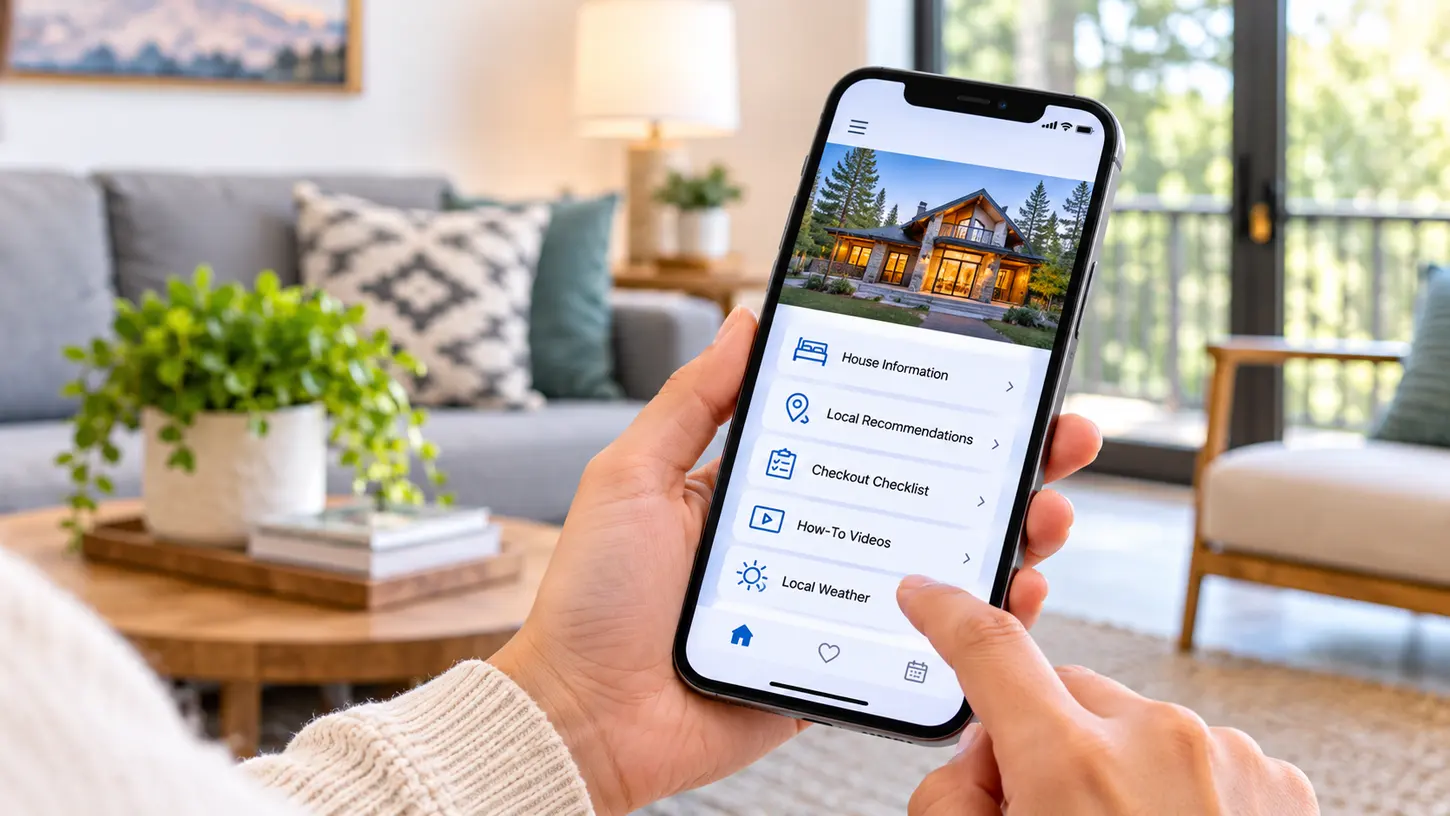
“What’s the Wi-Fi password?” “Where do we park?” “How does the coffee machine work?” “What time is checkout again?”
If you host on Airbnb, you’ve answered these questions more times than you can count, often for guests who already had the answers sitting in their inbox. The information was sent. It just wasn’t where the guest was looking when they needed it.
That’s the problem a digital guidebook is meant to solve, and in 2026 the category has split into several distinct formats: standalone guidebook apps, guidebooks built into property management software, all-in-one guest experience platforms, in-property tablets and screens, and Airbnb’s own built-in tools.
Each format puts your information in a different place. So the best digital guidebook for your listing depends less on who has the longest feature list and more on where and how your guests will actually use it: on a phone before they arrive, or inside the property once they’re through the door.
This guide covers what to look for, the best digital guidebook apps and tools in each category, what Airbnb’s built-in options do well, where link-based guidebooks fall short, and how to choose the right fit for your properties.
A quick note: GuideScreen is our product. We’ve included it in its category and described it with the same criteria as every other tool, including where it isn’t the right fit. Features and availability of third-party tools change often, and the details below reflect each tool as of November 2026.
What Is a Digital Guidebook App?
A digital guidebook app replaces the binder that used to sit on the kitchen counter. It holds your house manual, Wi-Fi details, check-in steps, house rules, and local recommendations in one place guests can reach on demand. The idea behind a digital guidebook is simple. What has changed is how it gets delivered.
Whether you call it a guidebook, a house manual, or a digital welcome book, today’s options fall into five main formats:
- Web-based guidebooks shared through a link or QR code. Guests open them in a browser, usually with no download required.
- Guidebooks built into property management software (PMS), sent alongside the rest of your guest communication.
- Guest experience platforms that bundle a guest web app with check-in, messaging, and upsells.
- In-property devices, such as tablets on a stand and wall-mounted digital concierge screens.
- Airbnb’s built-in Arrival guide and Guidebooks, available free inside your listing.
What About Airbnb’s Built-In Arrival Guide and Guidebooks?
Before choosing an Airbnb digital guidebook, it’s worth knowing what Airbnb already gives you. Hosts have two native tools.
The Arrival guide lives in the Listing editor. It holds your check-in method and time, directions, Wi-Fi details, house manual, house rules, and checkout instructions. Guests receive it after booking.
Guidebooks hold your local recommendations for the area.
The advantages are real: it’s free, it’s built into the platform, and there’s no extra setup for guests, who are already using the Airbnb app.
The limitations are practical rather than dramatic:
- It only covers Airbnb bookings. If you also take reservations through Vrbo, Booking.com, or your own direct booking site, those guests need the information another way.
- It lives in the booking guest’s Airbnb app. The partner, friends, parents, or kids traveling in the same group may never see it unless the booking guest passes the details along.
- It offers far less design and branding control than dedicated guidebook tools.
Many hosts fill in the Arrival guide as a baseline. It costs nothing, and Airbnb guests receive it after booking. Treat it as the foundation of your Airbnb guest guidebook, not the whole thing, and add a dedicated tool on top for the gaps that matter to your property.
What to Look for in a Digital Guidebook App
Feature lists blur together quickly. These are the questions that actually separate one digital guidebook app from another.
Where Guests Access It
Every format puts your information in a different spot: a link or QR code on the guest’s phone, a guest web app, a tablet on a counter, or a screen mounted on the wall. Match the format to the moment: directions matter on the road, while appliance instructions matter in the kitchen.
Whether It Reaches the Whole Group, Not Just the Booking Guest
A guidebook only helps the people who see it. Most link-based tools go to the person who made the reservation. If you host families, friend groups, or multi-generational stays, ask how everyone else in the group will get the information.
Personalization
Guest names, booking dates, and custom welcome messages make a digital guidebook for guests feel like hospitality instead of paperwork. Check whether personalization happens automatically from your booking data or whether you’ll be typing it in for every stay.
Calendar and PMS Connections
There are two common ways a guidebook tool learns about your bookings:
- iCal sync uses the calendar feed that Airbnb, Vrbo, Booking.com, and most PMSs already publish. It shares booking dates and, with some PMS feeds, guest names. It’s simple and quick to set up.
- Direct PMS integrations connect to your property management software more deeply and can exchange more data, such as triggering automated messages or pulling in check-in status.
Neither is automatically better. iCal is often all a smaller host needs, while direct integrations matter more for larger operations running automated workflows.
How-To Videos and Rich Media
A 30-second video of how to start the hot tub beats a paragraph of instructions every time. Look for tools that support video and photos, and think about where guests will watch them.
Local Recommendations and Maps
Generic “top restaurant” lists are everywhere. Guests value your take: the bakery worth the walk, the beach that’s quieter on weekdays. Look for room to add personal comments, plus maps and nearby essentials like grocery stores and pharmacies.
Guest Feedback (Arrival Check-Ins and Checkout Ratings)
An arrival check-in lets guests flag a problem while there’s still time to fix it. A private checkout rating gives you an honest read before the public review goes live. A problem caught on day one is far less costly than a bad Airbnb review after checkout.
Multi-Property Management for Co-Hosts and Property Managers
If you manage more than a couple of listings, a digital guidebook for property managers should offer one dashboard that handles every property, lets you reuse content across listings, and works from any device.
AI Features
Some platforms now offer AI chatbots or AI-assisted guidebook creation. These can save time when building content and help most when guests are messaging from their phones. They don’t replace clear, visible information inside the property, especially for guests who would rather look than ask.
Vendor Stability and Support
Your guidebook becomes part of how your property runs, so pick a provider that’s likely to be around for the long term. GuestView Guide is one example. It was a wall-mounted guidebook service that shut down on October 31, 2024, which left the hosts who relied on it needing a replacement. Before you commit, ask how long a vendor has operated, how support works, and who maintains any hardware.
The Best Digital Guidebook Apps and Tools for Airbnb Hosts in 2026
There’s no single winner across every format, so the tools below are organized by category rather than ranked. Start with the table, then read the categories that fit your hosting style.
| Tool | Category | How guests access it | Best for | Standout features | Things to consider |
|---|---|---|---|---|---|
| GuideScreen | In-property display | 21.5″ wall-mounted touchscreen inside the property | Hosts who want an always-visible digital concierge for the whole group | Personalized welcome by name, arrival sentiment check, how-to videos, checkout checklist and private rating | In-property only, not a pre-arrival tool; iCal-based sync, not a direct API integration; requires wall mounting |
| YourWelcome | In-property display | 8-inch tablet on a stand | Hosts who want in-stay upselling on a device | Personalized welcome via PMS integrations, arrival rating with host alerts, upsells | 8-inch tabletop screen; pre-arrival tools sit in a separate product |
| Touch Stay | Standalone guidebook app | Web link or QR code on the guest’s device, no download | Hosts who want a link-based guidebook with automation | AI guidebook generator, AI chatbot, upsells, automated messaging, 40+ integrations | Guests need to open the link on their own device; broader platform than a basic guidebook |
| RueBaRue | Standalone guidebook app | Link or QR code; no app or hardware | Hosts who rely heavily on text messaging | Home and area guides, two-way SMS with shared inbox, local disruption alerts | Lives on guests’ phones; its strength is communication rather than in-property display |
| Hostfully Digital Guidebooks | PMS guidebook | Digital guidebook shared with guests | Professional property managers and larger portfolios | Videos, maps, local recommendations, AI-generated itineraries, upsell marketplace | Built mainly for professional managers; smaller hosts may not use the full feature set |
| Enso Connect | Guest experience platform | Boarding Pass web app, no download | Vacation rental operators and boutique hotels | Contactless check-in, guest verification, upsells, AI-assisted messaging | Sits on top of a PMS; much broader than a guidebook |
| Duve | Guest experience platform | Branded guest app | Hotels and short-term rental operators | Contactless check-in, multi-channel communication hub, upselling | May be more platform than a small host needs |
| Airbnb Arrival guide and Guidebooks | Free / native | Booking guest’s Airbnb app | A baseline for every Airbnb listing | Free; check-in, Wi-Fi, house manual, house rules, checkout, local picks | Airbnb bookings only; limited branding control |
| Google Docs, Notion, or PDF | DIY | Shared link or file | Hosts still figuring out what to include | Free and flexible | Manual updates; no personalization or automation |
In-Property Displays
In-property displays live inside the rental, so they don’t depend on anyone finding a link. They’re built for the stay itself rather than the lead-up to it.
GuideScreen
GuideScreen is a 21.5″ HD commercial touchscreen in a gallery-style frame, available in Oak and Satin Black, mounted on the wall of your rental. It’s not a phone app. It’s assembled in Los Angeles, runs 24/7, and ships with a flush-mount kit for installation by a local AV professional or handyman. GuideScreen maintains the hardware.
Best for: Hosts and property managers who want an in-property digital concierge that everyone in the group can see and use throughout the stay.
Key features:
- Personalized welcome screen with the guest’s name
- Arrival sentiment check with instant host alerts
- Check-in information, house rules, and Wi-Fi details with a scannable QR code
- Appliance and how-to video guides
- Curated local recommendations with host comments, a 5-day forecast, maps, and nearby essentials
- Checkout checklist and private checkout rating
- Remote content management from any browser
Things to consider: GuideScreen is in-property only, so it isn’t a pre-arrival tool. Pair it with Airbnb’s Arrival guide or a link-based guidebook for directions and check-in details before guests arrive. Booking sync is iCal-based, working with Airbnb, Vrbo, Booking.com, or PMS calendars, including rich iCal feeds from PMSs such as Hospitable, Guesty, Hostaway, OwnerRez, and Lodgify. It’s not a direct API integration, and upsells aren’t a core feature.
YourWelcome
London-based YourWelcome places an 8-inch tablet on a stand inside each property, loaded with property information, video guides, and local guides.
Best for: Hosts who want an in-property device with upselling at its center.
Key features:
- Personalized welcome pulled from booking data via PMS integrations such as Guesty and OwnerRez
- Guest stay ratings on arrival, with host alerts below a set threshold
- Upselling for late checkout, equipment hire, and other services
- YourWelcome Advance, a separate pre-arrival product for advance check-in and pre-arrival emails
Things to consider: Upselling is central to the product, a plus if that’s your goal and less relevant if it isn’t. The 8-inch tablet sits on a surface rather than the wall.
Tabletop tablet or wall-mounted display? Both serve guests inside the property, but they behave differently. A tablet is portable and familiar, though it can be moved around the property. A wall-mounted display stays in one fixed, visible spot, and a larger screen is easier for a group to read together. The trade-off is that it needs to be installed.
Standalone Guidebook Apps
Standalone apps are the most familiar kind of vacation rental guidebook app: web-based guidebooks delivered by link or QR code, strongest before arrival and for recommendations guests carry around town.
Touch Stay
Touch Stay is a web-based digital guidebook shared by link or QR code and viewed on the guest’s own device, with no download required. It has grown into a broader guest platform.
Best for: Hosts who want a link-based guidebook with built-in automation.
Key features:
- AI guidebook generator and an AI chatbot trained on your guidebook
- Built-in upsells and automated messaging
- A review prompt
- Connections with 40+ PMSs, channel managers, and hospitality tools, so guidebooks can be sent automatically
Things to consider: Guests need to open the link on their own device, so it shares the reach limits of any link-based tool. Hosts wanting a simple guidebook may not need the wider platform.
RueBaRue
RueBaRue offers home guides and area guides accessed by link or QR code, with no app or hardware involved.
Best for: Hosts and teams who lean heavily on text messaging with guests.
Key features:
- Home guides and area guides
- Two-way SMS with a shared team inbox
- Scheduled text and email messages
- Alerts to guests about local disruptions such as storms, fires, and road closures
- Extended-stay upsells
- Integrations with PMSs including Guesty and OwnerRez
Things to consider: Its strength is communication. The guidebook lives on guests’ phones, with no in-property device.
Guidebooks Built Into Property Management Software
If you already run your business on a PMS, a built-in guidebook can keep everything under one login.
Hostfully Digital Guidebooks
Hostfully offers both a full property management platform and a standalone digital guidebook product.
Best for: Professional property managers and larger portfolios.
Key features:
- Property details, videos, and maps
- Local recommendations and AI-generated itineraries
- Add-on services through an upsell marketplace
Things to consider: It’s aimed mainly at professional managers, so hosts with one or two listings should check whether they’d use the wider feature set.
All-in-One Guest Experience Platforms
These platforms are broader than a guidebook. They suit larger operators who want check-in, messaging, and upsells in one guest web app, but they may be more than a one- or two-listing host needs.
Enso Connect
Enso Connect is an AI-powered guest experience platform for vacation rentals and boutique hotels that sits on top of your PMS. Its Boarding Pass web app (no download) guides guests from booking to checkout.
Best for: Operators who want one connected guest journey from booking to checkout.
Key features:
- Contactless check-in and guest verification
- Upsells
- AI-assisted messaging
Things to consider: It sits on top of a PMS, so it fits best when one is already in place.
Duve
Duve, formerly known as Wishbox, is a guest experience platform for hotels and short-term rentals.
Best for: Hotels and short-term rental operators who want check-in, communication, and upselling in one place.
Key features:
- Contactless check-in
- A branded guest app
- A multi-channel communication hub
- Upselling
Things to consider: Built for hotels as well as short-term rentals, its scope reaches well beyond a guidebook.
Free and DIY Options
Airbnb’s Arrival guide and Guidebooks are the obvious free starting point for any Airbnb guidebook, covered in detail earlier in this guide.
Google Docs, Notion, or a PDF can work while you’re figuring out what guests actually ask about. They’re free and flexible, but every update is manual, there’s no personalization, and guests still have to find the link. Many hosts start here before comparing TouchStay alternatives and other dedicated tools.
Where Link-Based Guidebooks Fall Short Inside the Property
Link-based guidebooks do their job well. The gaps show up once guests are inside.
The link usually goes to one person. The booking guest gets the email or message. Everyone else in the group, from the partner to the in-laws to the friend who arrives a day late, depends on that person forwarding it. That’s the secondary guest problem, and it’s why hosts still get messages asking for information they already sent.
Guests have to find it again every time. Each question means scrolling back through emails or messages to dig up the link. After the second or third search, many guests just message you instead.
Phones are busy. They die, sit charging in another room, or are tied up with navigation and reservations. When a guest needs the thermostat instructions, their phone isn’t always handy.
There’s no visible reminder. A link can’t remind anyone of quiet hours or checkout steps. Information that has to be looked up gets missed, which is how trash ends up in the wrong bin.
None of this makes link-based guidebooks a poor choice. They still excel at pre-arrival information like directions, parking, and check-in steps, and at portable local recommendations. The gap is in-property visibility, and that’s a different job.
Comparing Digital Guidebook Formats at a Glance
Here’s how each format handles the questions that matter most.
| Airbnb Arrival guide | Standalone guidebook app | PMS guidebook | Guest experience platform | In-property tablet | Wall-mounted display | |
|---|---|---|---|---|---|---|
| How guests access it | Booking guest’s Airbnb app | Link or QR code on their phone | Link sent through the PMS | Guest web app | Device on a stand in the property | Screen on the wall in the property |
| Reaches every guest in the group? | Not always; it sits in the booking guest’s app | Only if the link or QR code is shared | Only if the link or QR code is shared | Mostly the guest who receives it | Yes, if guests find the device | Yes, it’s visible to everyone |
| Requires guest action? | Yes, opening the app | Yes, opening the link | Yes, opening the link | Yes, opening the app and often checking in | Yes, tapping the tablet | Minimal, it’s already in view |
| Available before arrival? | Yes, after booking | Yes | Yes | Yes | Not on its own | No |
| Best for | A free baseline for Airbnb bookings | Pre-arrival details and portable recommendations | Managers already on that PMS | Larger operators wanting one guest journey | In-stay information and upsells | Shared stays, house manuals, how-tos, and checkout |
Using a Guidebook App and an In-Property Screen Together
The formats aren’t rivals so much as layers. A link or Arrival guide handles the before: directions, parking, and check-in steps, plus recommendations guests carry around town. An in-property display handles the during: the house manual, how-to videos, and checkout steps, visible to everyone without a search. Hosts weighing an app-based digital guidebook against a wall-mounted one often find the answer is both.
How to Choose the Right Digital Guidebook for Your Airbnb
Start with how your property actually runs, not with features.
When Do Your Guests Need the Information Most: Before Arrival or During the Stay?
If most questions come in before check-in (directions, parking, door codes), prioritize a strong link-based guidebook and a complete Arrival guide. If most questions come during the stay (appliances, the hot tub, checkout), the information needs to live inside the property.
How Many People Stay at Your Property, and Who Sees the Guidebook?
A couple on a weekend away shares information easily. A group of eight across three families doesn’t. The larger and more varied your groups, the more an in-property display earns its place.
How Many Listings Do You Manage, and on Which Channels?
Airbnb-only hosts can lean on the Arrival guide as a base. If you also take bookings on Vrbo, Booking.com, or direct, you need a tool that works across channels. Managing many listings? Prioritize a central dashboard and reusable content.
What Does Your Current Tech Stack Already Include?
List what you already use: PMS, smart locks, messaging tools. A guidebook inside your PMS may be the simplest addition. If you don’t use a PMS, check that a tool works with plain iCal calendars rather than requiring a direct integration you don’t have.
What Kind of First Impression Do You Want to Create?
For luxury and design-forward rentals, presentation is part of the product. A personalized welcome and a guidebook that belongs in the space set the tone before guests unpack. It’s one of the simplest ways to improve the guest experience from the first minute.
Questions to Ask Before You Commit
- Setup time: How long until the first property is live?
- Maintenance: Who updates content when the Wi-Fi password or door code changes?
- Integrations: Does it connect through iCal, a direct PMS integration, or both?
- Support: How do you reach a real person when something breaks?
- Track record: How long has the vendor operated, and who maintains any hardware?
How to Get Guests to Actually Use Your Digital Guidebook
Even the best digital guidebook software only works if guests open it. A few habits make a big difference:
- Send it before arrival and again at check-in. One message is easy to bury. Two, timed to when guests need them, rarely get missed.
- Place a QR code inside the property. Put it by the entry or on the fridge so anyone in the group can scan it.
- Keep sections short and scannable. Guests skim. Lead with the answer, then the detail.
- Use video for anything with more than a few steps. The pool heater, the TV inputs, and the coffee machine all belong on video.
- Update it whenever something changes. One outdated door code undoes a lot of trust.
- Put the most important information where guests will see it without searching. Wi-Fi, house rules, and checkout steps shouldn’t require a hunt.
The digital guidebook guests actually use is the one that’s already in front of them when the question comes up.
Frequently Asked Questions About Digital Guidebook Apps
What Is the Best Digital Guidebook App for Airbnb Hosts?
The best digital guidebook app depends on format and portfolio size. Link-based tools work well before arrival and for local recommendations, PMS guidebooks suit managers already on that software, and in-property displays serve the whole group during the stay. Many hosts combine a link-based guidebook with an in-property display to cover both.
Is Airbnb’s Arrival Guide Enough for My Guests?
For a simple Airbnb-only listing with small groups, the Arrival guide covers the essentials: check-in, directions, Wi-Fi, house manual, house rules, and checkout. It falls short if you take bookings on other channels, want more branding control, or host groups where people besides the booking guest need the information.
Do Guests Need to Download an App to Use a Digital Guidebook?
Usually not. Most current digital guidebook tools use a web link or QR code that opens in the guest’s phone browser, with no download required. Airbnb’s Arrival guide sits inside the Airbnb app guests already use. In-property screens need nothing from the guest at all; the information is already on the wall.
What’s the Difference Between a Digital Guidebook and a House Manual?
A house manual explains how the property works: Wi-Fi, appliances, heating and cooling, house rules, and checkout steps. A digital guidebook usually combines the house manual with local recommendations, check-in details, maps, and other stay information in one place. Every good digital guidebook includes a house manual, but a house manual alone isn’t a full guidebook.
How Do I Share My Digital Guidebook With Airbnb Guests?
Fill in Airbnb’s Arrival guide, which guests receive after booking. Then send your guidebook link in a scheduled message before arrival and again on check-in day, and place a QR code inside the property so everyone in the group can open it. An in-property screen reaches guests who never see the link.
Can a Digital Guidebook Sync With My Booking Calendar or PMS?
Many can. Some tools connect through iCal, a calendar feed that shares booking dates and sometimes guest names. Others offer direct PMS integrations that exchange more data and can trigger automated messages. GuideScreen, for example, syncs via iCal with Airbnb, Vrbo, Booking.com, or PMS calendars. Ask each vendor which method it uses.
What Happened to GuestView Guide?
GuestView Guide was a wall-mounted guidebook service that shut down on October 31, 2024, which left the hosts who used it needing a replacement. Hosts looking for a GuestView Guide alternative can consider in-property digital concierge options, which keep property information on the wall where every guest can see it.
Can I Use More Than One Digital Guidebook Tool?
Yes, and many hosts do. A common setup pairs Airbnb’s Arrival guide or a link-based guidebook for pre-arrival details with an in-property display for the house manual, how-to videos, and checkout steps. Keep the information consistent across tools, and update each one whenever Wi-Fi passwords, door codes, or house rules change.
Keep Your Guidebook in View for the Whole Stay With GuideScreen
A link-based guidebook gets information to your guest before they arrive. But once the door opens, the stay happens inside the property, often with people who never saw the link. That’s where GuideScreen fits.
GuideScreen is a digital concierge for vacation rentals: a 21.5″ wall-mounted touchscreen that keeps your in-property digital guidebook on the wall for everyone in the group, from arrival to checkout.
Guests walk into a welcome with their name on it. A quick arrival sentiment check lets them tell you how things look, and alerts you right away if something isn’t right, while there’s still time to fix it. How-to videos walk them through the appliances. Your local recommendations, complete with your own comments, sit alongside a 5-day forecast and maps of nearby essentials. A scannable Wi-Fi QR code ends the password hunt. When it’s time to leave, a checkout checklist keeps departure smooth, and a private checkout rating gives you honest feedback before any public review.
Behind the screen, a browser-based dashboard lets you manage multiple properties remotely, and iCal sync pulls in guest names and booking dates automatically. Hosts using GuideScreen have reported 55% fewer guest inquiries and 60% fewer support messages.
GuideScreen isn’t a replacement for your pre-arrival messages or your Arrival guide. It’s the home base that works alongside them. If you’d like to see how it would fit your property, schedule a 15-minute walkthrough with our team.